
SolidWorks is one of the most widely adopted 3D CAD platforms in manufacturing, known for its intuitive modeling environment, robust design tools, and seamless integration with downstream engineering workflows. Whether you’re a small prototyping shop or a multi-department OEM, SolidWorks offers scalable design solutions to fit different types of organizations and product complexities.
Selecting the right SolidWorks edition is not a decision to make on pricing alone. A mismatch between CAD capability and operational need can quietly erode engineering efficiency, introduce documentation errors, or force teams into patchwork workflows. In Indian manufacturing, where delivery timelines are tight and teams are lean, the edition you choose directly affects how well design data flows into production.
This blog provides a clear breakdown of what distinguishes SolidWorks Standard, Professional, and Premium and how to choose the right one based on how your business actually works.
How SOLIDWORKS Standard, Professional, and Premium Editions Differ

While all editions provide the core SolidWorks modeling environment, their capabilities diverge quickly when you move beyond basic parts and assembly creation.
SolidWorks Standard supports solid modeling, part assemblies, and detailed drawings. It’s suited for small teams focused on mechanical design without complex simulation or visualization needs. However, it lacks integrated rendering, toolbox components, and built-in file management.
SolidWorks Professional extends functionality to include photo-quality visualization, a comprehensive parts library, and integration with product data management (PDM) systems. It’s often the right fit for mid-sized manufacturers who need reliable documentation and internal alignment across teams.
SolidWorks Premium adds simulation and advanced routing features—like weldments, piping, and motion analysis. These are essential for operations where product performance, structural integrity, or custom assembly logic must be validated inside CAD.
Understanding these distinctions helps avoid overbuying or underpreparing. The key is to match the edition not just to what you model—but to how your models feed the next stage of manufacturing.
SOLIDWORKS Standard: Core 3D CAD for Focused Design Teams
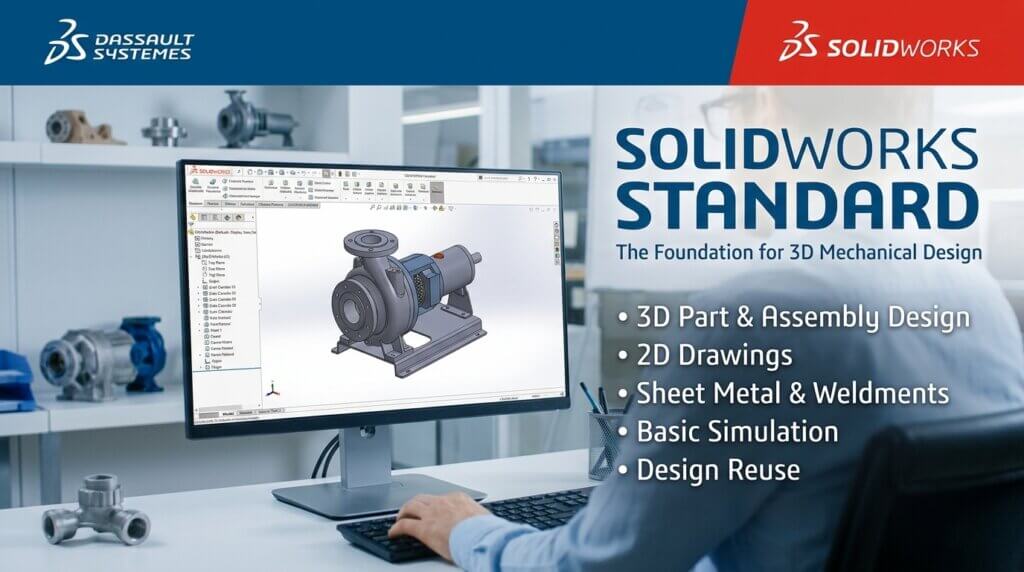
The SOLIDWORKS Standard is the first step into the SOLIDWORKS world. It has everything a small mechanical engineering team needs to build and document products, like a full 3D modeling environment for making parts, designing assemblies, and making 2D engineering drawings.
What does SOLIDWORKS Standard include?
- Part and Assembly Modeling: parametric solid and surface modeling for parts and multi-body assemblies
- 2D Engineering Drawings: automatic drawing creation with GD&T, BOM, and revision tables
- Sheet Metal: bend allowance, flat layouts, and views of sheet metal drawings
- Weldments and Structural Members: beams, channels, and structural frame design with cut lists
- Basic Animation and Visualization: exploded views, rotation studies, and basic rendering
- Interference and Clearance Check: find out if assembly parts are hitting each other
- 3D Interconnect lets you import and work with native CAD files from CATIA, Pro/E, NX, and other programs without having to convert them.
- SOLIDWORKS CAM Standard: basic 2.5-axis CNC toolpath creation built into the CAD environment
- Tools for designing for manufacturing, such as draft analysis, undercut detection, and parting line tools for injection mold designers
Who should choose Standard
SOLIDWORKS Standard is a good fit for businesses where a small group of engineers is mostly focused on mechanical design and doesn’t need to work with a lot of other people. Some common profiles are:
- Independent design consultants who work on separate mechanical projects
- Start-ups making the first prototype of their real-world product
- Bigger companies that need certain engineers with a lesser license while their main designers use Professional or Premium
- Job shops that make sheet metal parts and don’t need routing or simulation
One key thing to keep in mind is: PDM Standard (file version management) is not included in SOLIDWORKS Standard. There is a genuine possibility of file disputes if two engineers work on the same assembly. If your team has more than two people, you should upgrade to Professional for this reason alone.
SOLIDWORKS Professional: The Sweet Spot for Most Indian Manufacturers
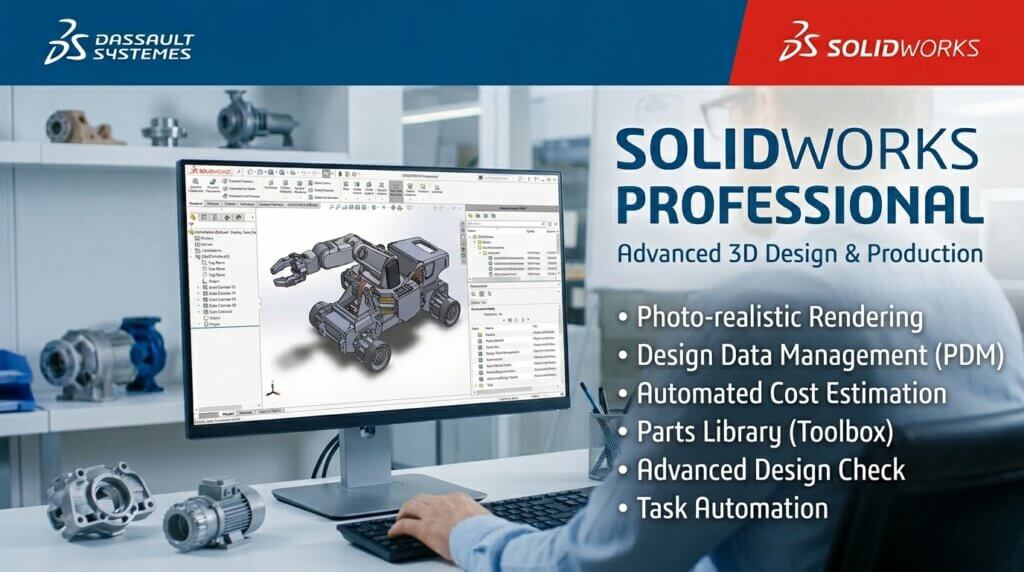
The SOLIDWORKS Professional is the most used edition by mid-sized manufacturers. It introduces a system of tools that address the most frequent pain points that can occur when a design team grows more than one or two individuals: managing files, hardware libraries, cost analysis, and collaborating more effectively with downstream teams.
What is added in SOLIDWORKs Professional?
- Toolbox (CAD Libraries) a collection of thousands of standard hardware components (bolts, bearings, fasteners, gears) in ISO, DIN and other standards. Smart Fasteners automatically fills the assembly holes with the right type and length of fasteners.
- PDM Standard – Windows Explorer-based product data management system that eliminates file conflicts by check-in/check-out, enables you to revert to any previous version of any file, and that has a complete version history.
- SOLIDWORKS Visualize Standard: is a separate renderer used to create photo-realistic images of a product without any physical prototype. Widely used by marketing and sales teams.
- eDrawing Professional distribute interactive, quantifiable 3D models to client, suppliers and manufacturing partners who are not equipped with SOLIDWORKS. Favors marks and notes.
- Design Checker is an automatic checker that checks the drawing against company CAD standards (font sizes, drawing border, title block completeness) before it can be released.
- CircuitWorks two way ECAD/MCAD integration with PCB design software including Altium and Eagle. The import board outlines and component locations are simply drawn on to the 3D assembly.
- ScanTo3D convert 3D scanner point cloud data or mesh data to editable SOLIDWORKs geometry. Applicable to reverse engineering old components.
- TolAnalyst tolerance stack-up analysis (automated) to estimate dimensional variation throughout an assembly and optimise tolerances before drawings are sent to the factory.
Who is to decide on Professional?
- Manufacturing firms that have two or more users of SOLIDWORKS working on the same product.
- Engineering teams that face procurement that must have accurate, automatically-generated BOMs containing standard hardware part numbers.
- Teams that bid custom work of fabrication where the estimation of the per-job costs with per-job 3D models consumes a lot of time.
- Companies in which marketing requires product does prior to the existence of tangible samples.
- Any team seeking to be certified against ISO 9001 or IATF 16949 which requires documented drawing revision control.
SOLIDWORKS Premium: For Designs That Must Be Validated Before They Are Built
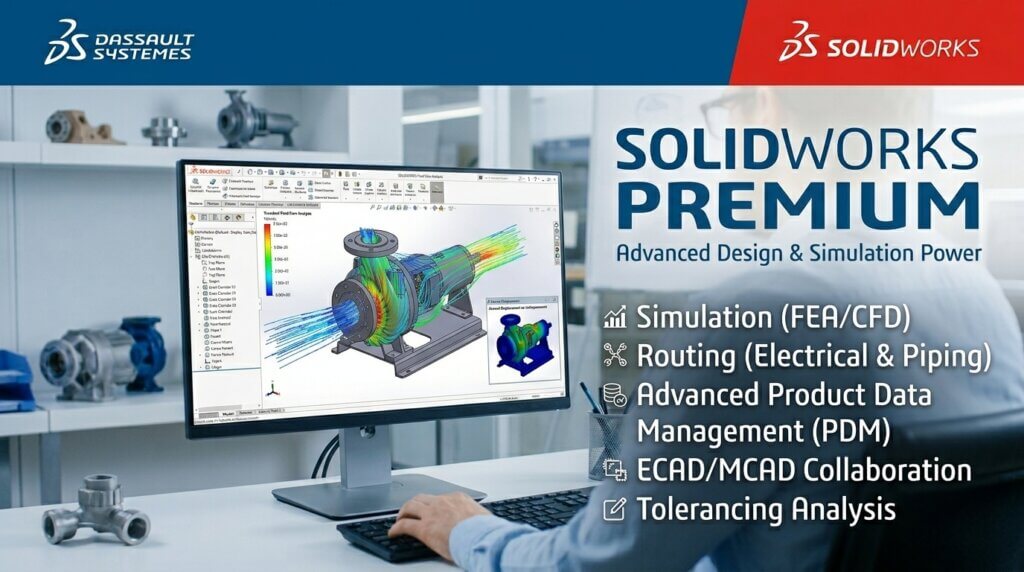
SOLIDWORKS Premium introduces two types of functionality which are not found in the lower versions: structural simulation and routing. When your product is subject to a mechanical load, is dynamically moving, includes plumbing or wiring, Premium pays back the first time you avoid prototype failure, or remove a wiring error.
What is added in SOLIDWORKS Premium
- Structural Analysis (FEA) – Linear Static Stress and Deformation analysis which is similar to SOLIDWORKS Simulation Standard. Load and fixture, mesh the geometry and obtain factor-of-safety results, stress plots and displacement visualisations in the same window as SOLIDWORKS.
- Motion Analysis – complete physics-based motion analysis which takes into consideration mass, inertia, spring forces, dampers, gravity and friction. Assemble animate under realistic operating conditions and measure force/torque quantities at any joint or contact pair.
- Pipe and Tube Routing — automatic routing of rigid pipes, flexible hoses and pneumatic tubing intelligently through an assembly. Auto-generates cut list, bend tables and isometric drawings.
- Electrical Wiring and Harness Routing – route single and multi-core cable harnesses in 3D. Send flattened harnesses drawings and wire cut length reports straight out to the manufacturing.
- Advanced Surface Flattening – flatten multi-curved surfaces to 2D patterns, which are applicable in composite layup equipment, leatherwork, and any other project requiring developable surface patterns.
- Sustainability Analysis – lifecycle assessment tool which computes carbon footprint, energy used and the air and water effects of material and manufacturing process options.
- CATIA V5 Import – CATIA V5 part and assembly files can be imported to teams in supply chains, which are supplied with data by automotive or aerospace OEMs that use CATIA.
Who should choose Premium
- Design of load-bearing elements (frames, brackets, housings, gears, shafts) by structural and mechanical engineers.
- Teams that are putting together mechanisms with moving parts (linkages, cams, conveyor systems, robotic arms) Piping, pressure vessels, or hydraulic and pneumatic circuits Process equipment manufacturers.
- Carmakers and electric panel producers that assemble harnesses of wiring and require cut lists of routed wire.
- Any organisation that currently has an outsourcing agreement with a third party, Premium, to do FEA work in-sources it.
Complete Feature Comparison Table
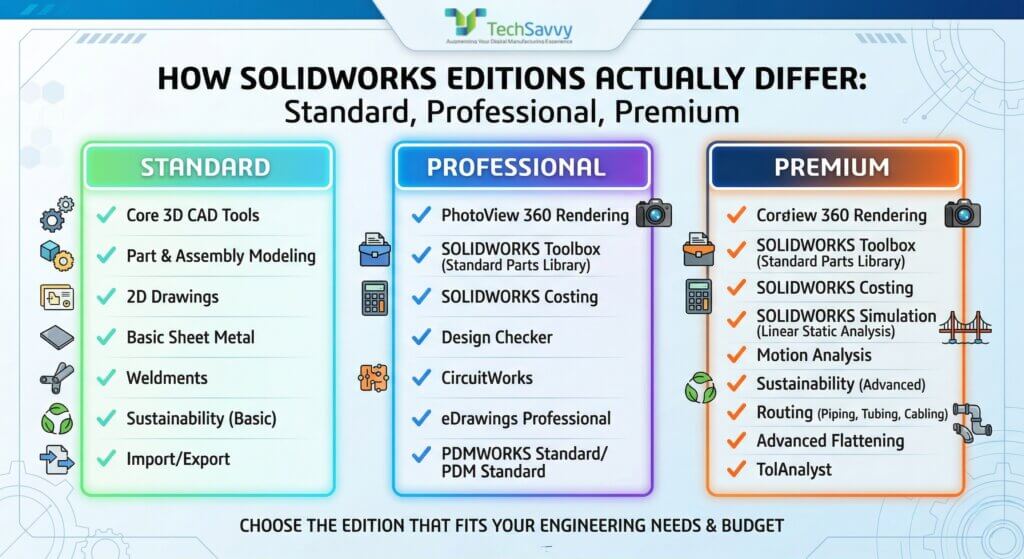
The table below lists every significant capability across all three SOLIDWORKS editions. Use this as your primary reference when shortlisting.
| Feature | Standard | Professional | Premium |
| 3D Part & Assembly Modelling | ✓ | ✓ | ✓ |
| 2D Engineering Drawings | ✓ | ✓ | ✓ |
| Sheet Metal Tools | ✓ | ✓ | ✓ |
| Weldments & Structural Members | ✓ | ✓ | ✓ |
| Design for Manufacturing (DFM) | ✓ | ✓ | ✓ |
| Basic Animation | ✓ | ✓ | ✓ |
| 3D Interconnect (Advanced CAD Import) | ✓ | ✓ | ✓ |
| SOLIDWORKS CAM Standard | ✓ | ✓ | ✓ |
| Toolbox (CAD Parts Library) | ✗ | ✓ | ✓ |
| SOLIDWORKS Costing (Design for Cost) | ✗ | ✓ | ✓ |
| eDrawings Professional | ✗ | ✓ | ✓ |
| PDM Standard (File Management) | ✗ | ✓ | ✓ |
| SOLIDWORKS Visualize Standard | ✗ | ✓ | ✓ |
| Design Checker (CAD Standards) | ✗ | ✓ | ✓ |
| CircuitWorks (ECAD/MCAD) | ✗ | ✓ | ✓ |
| ScanTo3D (Reverse Engineering) | ✗ | ✓ | ✓ |
| TolAnalyst (Tolerance Stack-Up) | ✗ | ✓ | ✓ |
| Structural Simulation (FEA) | ✗ | ✗ | ✓ |
| Motion Analysis | ✗ | ✗ | ✓ |
| Pipe & Tube Routing | ✗ | ✗ | ✓ |
| Electrical Wiring & Harness Routing | ✗ | ✗ | ✓ |
| Advanced Surface Flattening | ✗ | ✗ | ✓ |
| Sustainability Analysis | ✗ | ✗ | ✓ |
| CATIA V5 Import | ✗ | ✗ | ✓ |
Note: Each higher edition includes all features from the previous tier. Simulation, Electrical, Flow Simulation, PDM Professional, and Visualize Professional are sold as separate add-on licences and are not included in any base edition.
The Risk of Choosing Blindly
Manufacturing teams often approach CAD licensing with a narrow focus: either they pick the base-level package to control costs, or they default to the top tier assuming it covers everything. But these extremes lead to hidden trade-offs.
For example, a team working on sheet metal parts and supplier-ready documentation may find Standard lacking in drawing automation or library content. On the other hand, a business investing in Premium without simulation workflows or routing needs may leave 40% of the tools untouched. In both cases, the edition doesn’t fit the engineering reality.
Once the wrong version is deployed, switching mid-project becomes difficult, and process gaps become routine. That leads to rework, version mismatches, or dependency on manual BOM corrections—none of which are sustainable at production scale.
Why the Right Edition Matters Downstream
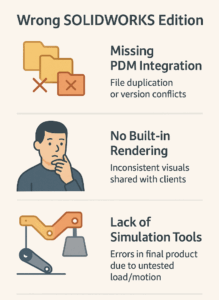
Poor edition fit often reveals itself not in design, but at the handoff to procurement or manufacturing. For instance, if revision management isn’t embedded in your CAD environment, teams may track versions manually—leading to procurement acting on outdated specifications. Similarly, if simulation is outsourced because it wasn’t included, validation becomes disconnected from design.
Many Indian manufacturers report that file standardization, BOM consistency, and drawing reliability are among the top reasons they reconsider their SolidWorks edition after a year in use. These are not “nice to have” extras; they directly influence production accuracy and time to market.
Your CAD software shouldn’t be a constraint—it should scale with how your team designs, shares, and builds. SolidWorks offers a strong ecosystem across all three editions, but the value comes from selecting the one that aligns with your day-to-day operation.
Take time to evaluate what your downstream workflows demand, what your team can support, and what your products require—not just today, but over the next two years. Making the right choice now prevents workflow inefficiencies and costly midstream upgrades later.
Get Expert Guidance from an Authorised SOLIDWORKS Reseller in India
TechSavvy Engineers has been helping manufacturers across India select, implement, and get maximum value from SOLIDWORKS since 2002. As a Dassault Systemes Authorised Reseller and Certified Training Centre, we provide:
- Personalised edition recommendation based on your specific workflow and team size
- Accurate INR pricing with GST-compliant invoicing
- Certified SOLIDWORKS installation and implementation support
- Hands-on training in Hindi and English, onsite or online
- Ongoing technical support from SOLIDWORKS-certified application engineers

Frequently Asked Questions
Yes. SOLIDWORKS licences are upgradeable at any time. You pay the price difference between your current edition and the target edition, plus any applicable subscription renewal fees. There is no penalty for upgrading mid-subscription. Your existing files, projects, and settings migrate seamlessly SOLIDWORKS uses the same file format across all three editions.
SOLIDWORKS Premium includes structural simulation capability equivalent to SOLIDWORKS Simulation Standard (linear static FEA and motion analysis). SOLIDWORKS Simulation Professional and Simulation Premium which add fatigue, thermal, frequency, buckling, and non-linear analysis are separate paid add-ons and are not included in any base edition.
PDM Standard is a file vault system included with SOLIDWORKS Professional. It prevents two engineers from overwriting each other’s work, maintains a full version history of every file, and lets you restore any previous revision. If you have more than one engineer working in SOLIDWORKS, you need it. Most teams that skip PDM Standard end up re-adopting it after the first serious file conflict causes lost work
Yes, SOLIDWORKS Professional includes SOLIDWORKS Visualize Standard, a standalone photo-realistic rendering application. To unlock advanced rendering features (bloom, caustics, GPU denoising, and network rendering), Visualize Professional is available as a separate licence. For most marketing and sales render use cases, Visualize Standard is more than sufficient.
All three SOLIDWORKS editions have the same base hardware requirements.The additional tools in Professional (PDM, Toolbox, Visualize) do not meaningfully increase hardware requirements. Premium’s simulation and routing tools benefit from faster CPUs and more RAM for large assemblies.