

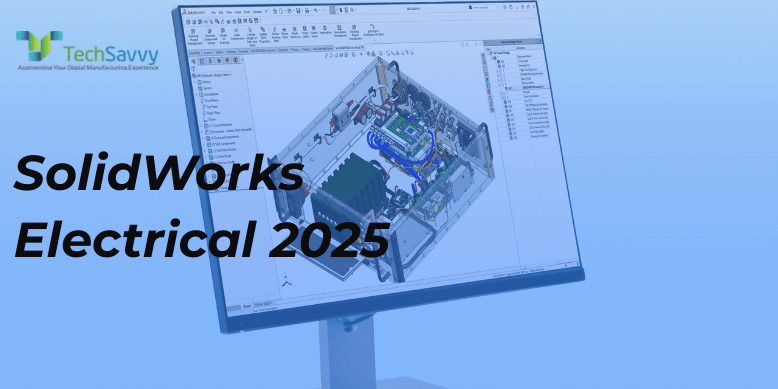
SOLIDWORKS Electrical 2025 delivers meaningful workflow gains across schematic design, libraries, terminal documentation, and 3D harnessing. If your last round of updates focused on the 2021–2022 era (Viewer app, wire-state options, scheduled archiving, etc.), the 2025 release moves the spotlight to faster data import/export, smarter terminal tools, tighter 2D–3D synchronization, and harness drawing improvements.
Below are the 10 most impactful enhancements for 2025—each followed by a short “Why it matters” note.
1) Export & Re-Import Manufacturer Parts and Cable References (Excel)
You can now export manufacturer parts or cable references to Excel, bulk-edit them, and then import new data (or overwrite existing library data) using the official template. This dramatically speeds up initial library population and ongoing maintenance.
Why it matters: Instead of one-by-one edits, teams can normalize attributes (part numbers, specs, sourcing fields) in seconds.
Compared to 2022: Your 2022 post talked about BOM control. 2025 elevates upstream library control so BOMs are right the first time.
2) Distribute Terminals (Precision Terminal Documentation)
A new Distribute Terminals tool links symbols to specific circuits/pins—ideal for complex terminal strips and multi-level connectors. It ensures accurate symbol-to-terminal mapping and cleaner diagrams.
Why it matters: Reduces manual tweaks and errors when documenting terminals; speeds reviews and manufacturing handoff.
Compared to 2022: Terminal precision wasn’t a headline item in 2022. This is net-new and highly practical for panel builders.
3) Enhanced Cable Management & Reference Controls
2025 adds richer options to browse, preview, disassociate, delete, and formula-manage cable references (including mark roots and origin/destination variables). These improve how you label and track cables across large projects.
Why it matters: Cleaner cable reference governance keeps large projects consistent—especially when multiple designers collaborate.
Compared to 2022: Your “Wire Options” from 2021/22 helped preserve wire state; 2025 focuses more on cable reference governance and marking logic.
4) More Variables in Formula Management (Origins/Destinations)
New variables make it easier to label origin/destination arrows and related callouts, improving readability in complex multi-sheet schematics.
Why it matters: Better auto-annotation means fewer manual edits and fewer review comments about “where does this go?”
5) Electrical 3D: Update Data & Replace Data from the Project Toolbar
2025 surfaces Update Data and Replace Data directly in the Electrical 3D Project toolbar, so changes in 3D (e.g., part descriptions) can be pushed cleanly into the electrical project.
Why it matters: Tighter 2D–3D coherence reduces “data drift” and rework when mechanical choices force electrical updates.
Compared to 2022: You highlighted 3D routing with splines/arcs earlier; 2025 is about keeping data synchronized as designs evolve.
6) Wire Termination Types: User-Defined Details
You can capture custom data on wire termination types (e.g., material, conductivity), making termination selections more explicit and queryable.
Why it matters: Better downstream documentation for crimping/soldering standards and QA, and cleaner reporting.
7) Flatten Route & Harness Drawing Improvements
Flattening now better reuses existing sketch segments, avoids loops at splices, and improves multi-circuit splice handling—leading to cleaner, more reliable harness drawings.
Why it matters: Fewer manual “fix-ups” on flattened harness outputs; faster drawing release.
Compared to 2022: 2021/22 emphasized defining 3D paths (splines/arcs). In 2025, the output—flattened harness drawings—gets smarter.
8) Zoom-to-Fit on Open (Drawing Preference)
A small but welcome usability setting: automatically fit drawings to the screen when you open them, improving navigation during reviews.
Why it matters: Saves dozens of clicks a day for frequent reviewers.
9) New 3D Tab & Better Dynamic Drawing Integration
2025 introduces a dedicated 3D tab (consolidating project-level 3D actions) and tighter drawing integration so electrical drawings reflect updates more seamlessly when you save associated SOLIDWORKS drawings.
Why it matters: Fewer context switches and less manual “sync” work between schematic and 3D deliverables.
10) Temporary Offline Mode & Other SP Highlights
Recent functional deliveries (FD/SP) add Temporary Offline Mode for Electrical Schematic Designer (helpful for travel or restricted networks), export-to-PDF updates, and UI filter options in configuration dialogs.
Why it matters: Keeps you productive even without constant server access, and makes configuration screens easier to use.
When Should You Upgrade from a 2022-Level Workflow?
You maintain large libraries or often introduce new vendors/parts: Excel export/re-import will pay for itself quickly.
You ship harnesses or build terminal-heavy systems: Distribute Terminals + improved flattening reduces drawing time and mistakes.
You collaborate closely with Mechanical:
Update/Replace Data from the 3D toolbar and improved drawing integration shrink 2D–3D iteration cycles.
You work in the field or on restricted networks: Temporary Offline Mode keeps you moving.