Skip to content
  • Request a Quote
  • Request for Demo
  • TollFree: 18008892245
Useful Links
Facebook page opens in new windowX page opens in new windowLinkedin page opens in new windowYouTube page opens in new window
TechSavvy Engineers
SOLIDWORKS Dealer in India, Delhi NCR
TechSavvy EngineersTechSavvy Engineers
+91-9650032300sales@techsavvy.co.in

  • Home
  • About us
  • Products Portfolio
    • SOLIDWORKS DRAFTSIGHT
    • 3DEXPERIENCE WORKS
    • SolidWorks CAD
      • SOLIDWORKS Standard
      • SOLIDWORKS Professional
      • SOLIDWORKS Premium
    • SOLIDWORKS Simulation
      • SOLIDWORKS Simulation Standard
      • SOLIDWORKS Simulation Professional
      • SOLIDWORKS Simulation Premium
    • SOLIDWORKS Flow Simulation
    • SOLIDWORKS Electrical
      • SOLIDWORKS Electrical Standard
      • SOLIDWORKS Electrical Professional
      • SOLIDWORKS Electrical Schematic
      • SOLIDWORKS Electrical 3D
    • SOLIDWORKS PDM
    • SOLIDWORKS Composer
    • SOLIDWORKS Inspection
    • SOLIDWORKS Plastics
    • SOLIDWORKS MBD
    • SOLIDWORKS PCB
    • SOLIDWORKS VISUALIZE
  • Services
  • Blog
  • Training
  • News & Events
  • Contact us
  • Home
  • About us
  • Products Portfolio
    • SOLIDWORKS DRAFTSIGHT
    • 3DEXPERIENCE WORKS
    • SolidWorks CAD
      • SOLIDWORKS Standard
      • SOLIDWORKS Professional
      • SOLIDWORKS Premium
    • SOLIDWORKS Simulation
      • SOLIDWORKS Simulation Standard
      • SOLIDWORKS Simulation Professional
      • SOLIDWORKS Simulation Premium
    • SOLIDWORKS Flow Simulation
    • SOLIDWORKS Electrical
      • SOLIDWORKS Electrical Standard
      • SOLIDWORKS Electrical Professional
      • SOLIDWORKS Electrical Schematic
      • SOLIDWORKS Electrical 3D
    • SOLIDWORKS PDM
    • SOLIDWORKS Composer
    • SOLIDWORKS Inspection
    • SOLIDWORKS Plastics
    • SOLIDWORKS MBD
    • SOLIDWORKS PCB
    • SOLIDWORKS VISUALIZE
  • Services
  • Blog
  • Training
  • News & Events
  • Contact us

Author Archives: admin

You are here:
  1. Home
  2. Article author admin

SOLIDWORKS

How Does Home Licensing for SOLIDWORKS Work?

SOLIDWORKS Technical UpdateBy adminJune 27, 2017

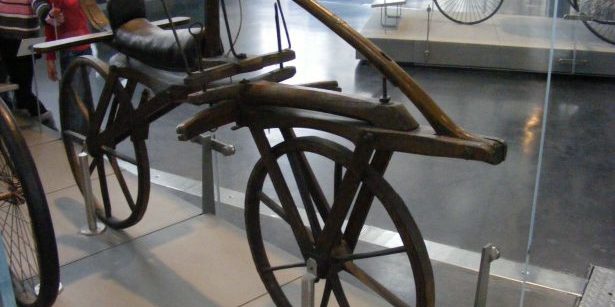
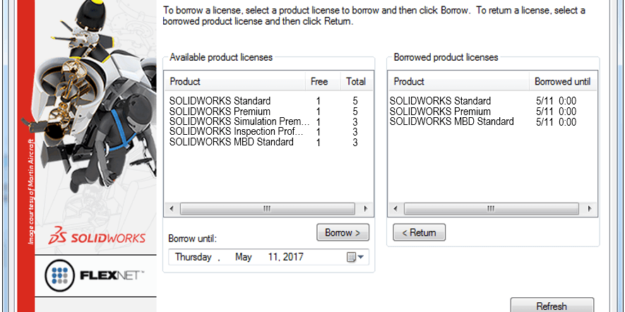
SOLIDWORKS users have long enjoyed the ability to use their software from both their home/mobile and work offices. How is this accomplished without running afoul of the EULA (End User License Agreement), which only permits one license enabled on any one computer at any one time? In our previous two blog posts, we examined perpetual…

SOLIDWORKS

MIT Students Take Innovative New Product from Dorm Room to Market in Record Time

SOLIDWORKS Technical UpdateBy adminJune 27, 2017

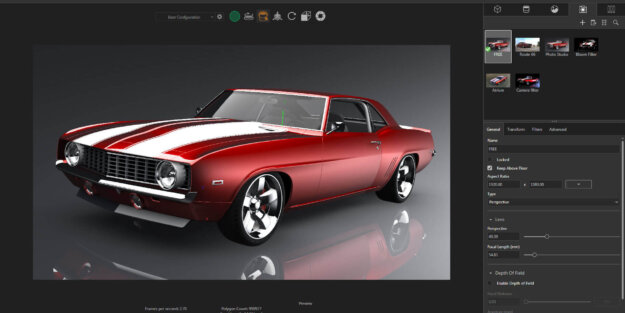
SOLIDWORKS – MIT Students Take Innovative New Product Any college student will tell you that coffee is often a key ingredient to surviving those stressful days of college when hours of slumber are in short supply. When cost-conscious college students splurge on expensive to-go coffee from places like Starbucks or Dunkin Donuts, they want to…

CONTOUR

Selecting multiple CONTOUR is no more hassle with SOLIDWORKS 2017

SOLIDWORKS Technical UpdateBy adminApril 17, 2017

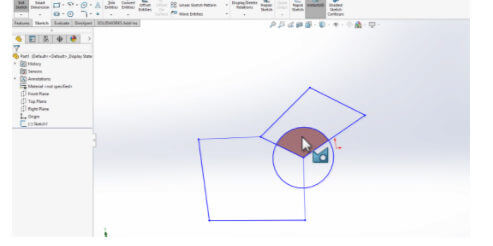
Selecting multiple CONTOUR is no more hassle Previously multiple selections of sketch entities for extruding or removing any area was a big hassle and it was leading to a great loss of time and confusion. Sometimes wrong selection creates uneven extrudes and leads to failure in improper part development. Now with just a single press…

SOLIDWORKS

Creating multiple part or assembly files of same kind without any re-work with SOLIDWORKS Configuration.

SOLIDWORKS Technical UpdateBy adminApril 17, 2017

SOLIDWORKS – Creating multiple part or assembly files of the same kind without any re-work. Every day we come across various situation when we need to create different components of similar kind, for example below images are of parts made by configuring 1 st part (Main Part). Steps for configuring a part : a. In…

←1
2
…34567←
©2017 Techsavvy Engineers. All Rights Reserved
  • Request a Quote
  • Request for Demo
  • TollFree: 18008892245
Useful Links
Go to Top
Request Demo