
All injection-molded parts carry a hidden risk: the mold can look completely correct on screen, yet the plastic may not flow through the cavity as the geometry suggests. A wall section that appears adequate may actually be too thin to fill properly. A gate location chosen for convenience can create a weld line in an area where strength matters.
The problem is that these issues may not become obvious until the mold has already been manufactured and the first shot comes off the press. At that point, fixing the problem can mean modifying or re-cutting steel, adding cost and time to a project that has already consumed a significant tooling budget.
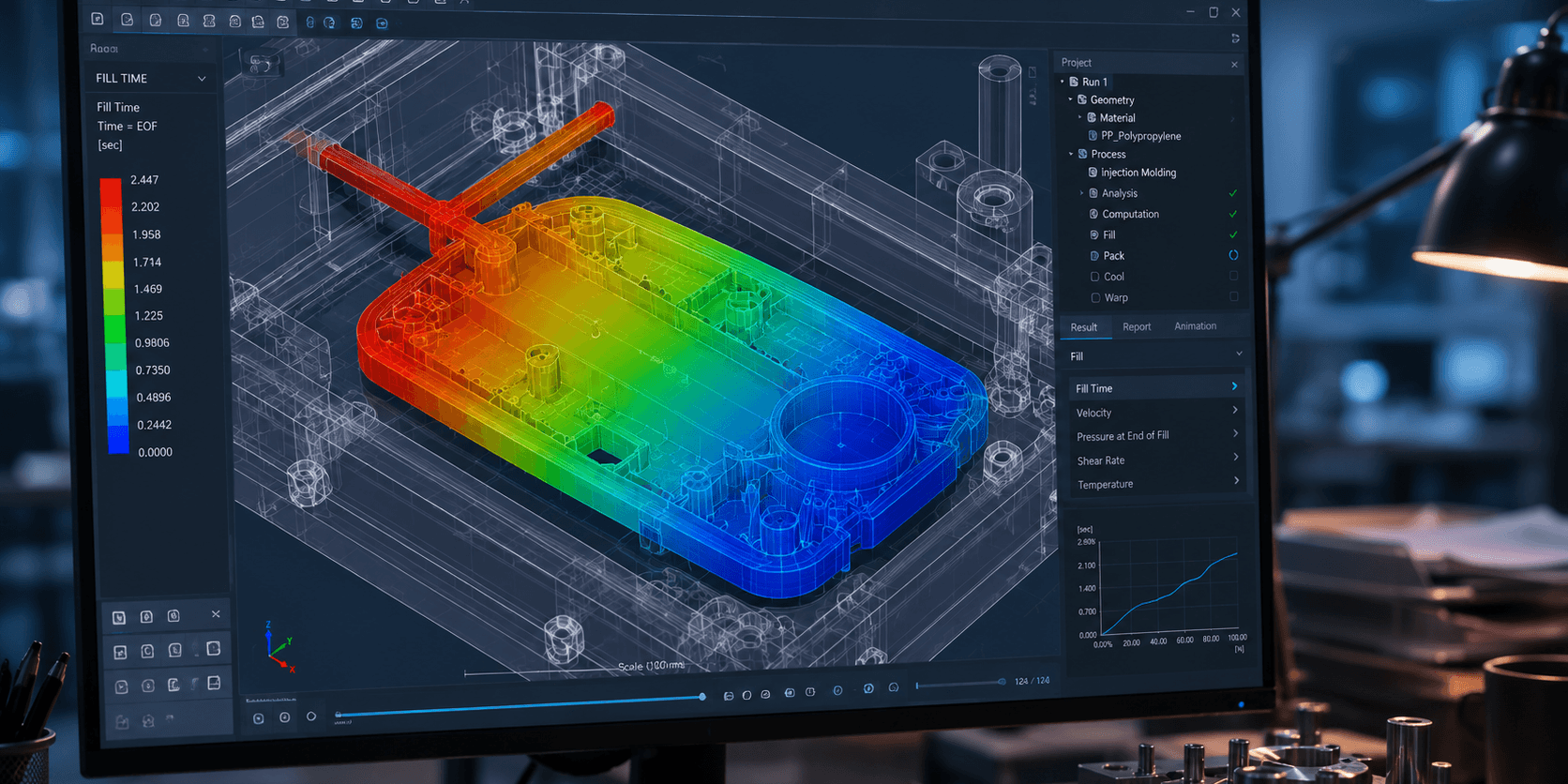
SOLIDWORKS Plastics is designed to identify these types of manufacturing problems while the part is still a digital model. By simulating how molten plastic fills, packs, cools, and moves through the mold, engineers can investigate potential problems before they become expensive tooling issues.
Why Mold Rework Is So Expensive
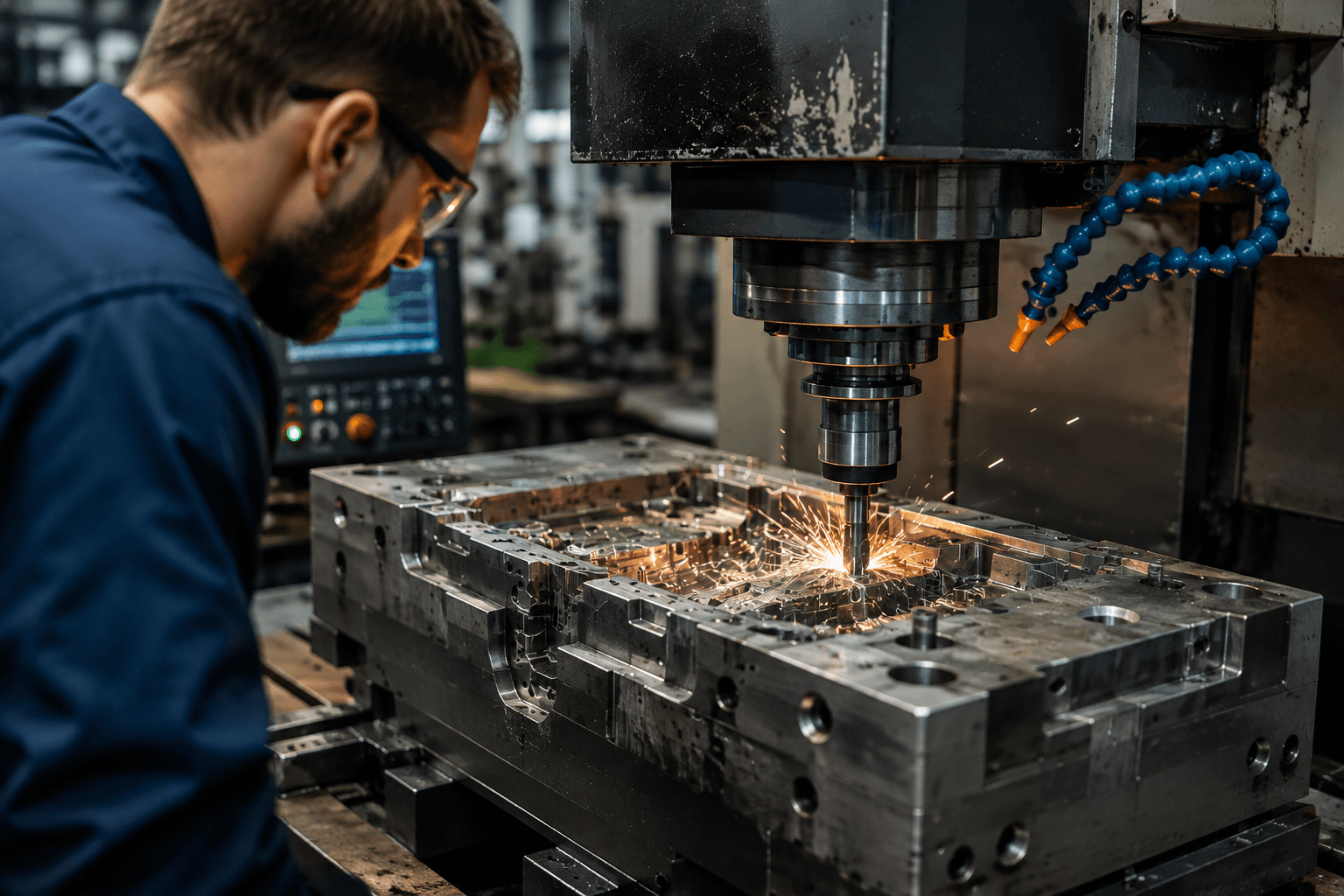
Injection mold tooling is generally one of the biggest investments involved in bringing a plastic part into production. Once the tool has been manufactured, making changes is not as simple as changing a dimension in a CAD model.
If a mold trial reveals a short shot, a warped surface, or a visible weld line in a cosmetic area, the solution may require modifying or re-cutting the steel. That means additional tooling costs and additional time after the original investment has already been made.
Plastic Components, Inc., a high-volume injection molder shipping more than 20 million parts a month, provides a useful real-world example. The company described a mold iteration, or “round trip” from sampling to mold approval, as taking roughly two to three weeks and costing thousands of dollars.
On more complex parts, a mold could require a second, third, or even additional trial before the desired result was achieved. Every additional iteration adds cost and pushes the production schedule further out.
This is where injection molding simulation becomes valuable. Finding a flow or filling problem in a digital model is considerably easier and less expensive than finding the same problem after the mold has been manufactured.
What SOLIDWORKS Plastics Actually Simulates
SOLIDWORKS Plastics is a mold-filling and part-design simulation tool integrated into the SOLIDWORKS CAD environment. Because the analysis works with the SOLIDWORKS model, engineers can investigate how the material will behave without having to move the geometry into a separate application.
The software simulates the flow of molten plastic through the cavity and helps identify potential manufacturing issues while the design is still being developed.
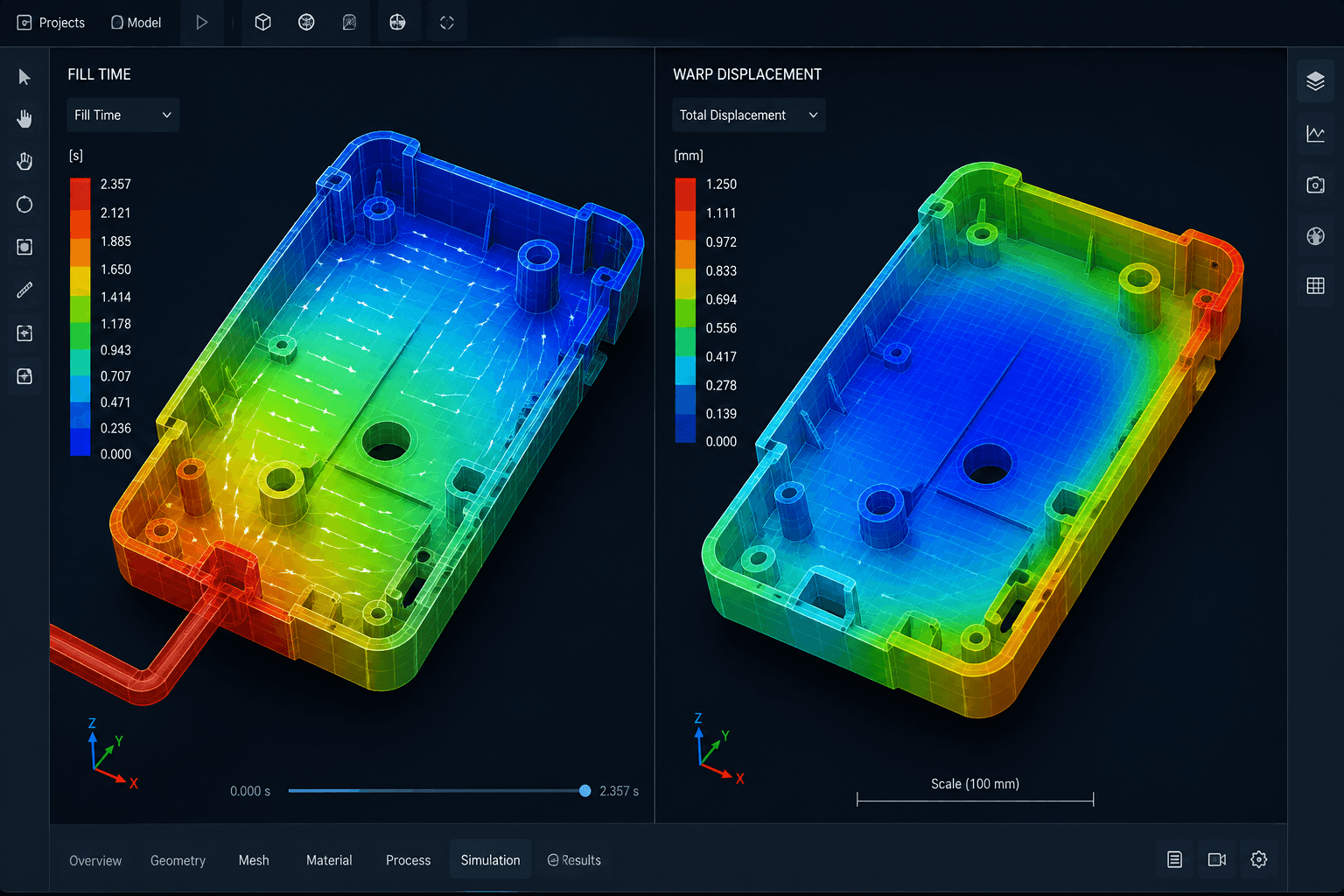
The simulation covers several important areas of injection molding:
- Fill analysis: Predicts how plastic moves through the cavity and helps identify short shots, weld lines, and air traps before they become physical defects.
- Packing and cooling analysis: Evaluates how effectively the part packs and cools, which can influence cycle time and dimensional accuracy.
- Warp prediction: Estimates how the finished part may deform during cooling, giving engineers an opportunity to adjust wall thickness or gating before physical trials.
- Feed system optimization: Analyzes sprues, runners, and gates for single-cavity, multi-cavity, and family mold layouts and helps evaluate gate type, size, and location.
- Cycle time and tonnage estimation: Helps with injection molding machine sizing and provides estimates for cycle time and shot size, supporting more confident tooling quotes.
Another practical advantage is that part designers and mold designers can work from the same SOLIDWORKS model. Changes to wall thickness, gate location, or material selection can be tested and re-simulated without repeatedly passing geometry between different teams and software.
For engineering teams, this can make the design-to-manufacturing workflow more efficient because potential problems can be investigated before they reach the tooling stage.
The License Tiers, and What Each One Actually Buys You
SOLIDWORKS Plastics is available in three tiers. The main difference is how deeply each level lets you investigate the manufacturing process and mold design.
SOLIDWORKS Plastics Standard
SOLIDWORKS Plastics Standard focuses on the fill stage. It helps confirm part manufacturability and identify short shots and basic flow problems early in the part-design process.
This can be a suitable starting point for part designers who primarily need a manufacturability assessment rather than a complete mold analysis.
SOLIDWORKS Plastics Professional
SOLIDWORKS Plastics Professional builds on Standard with mold-design analysis for single-cavity, multi-cavity, and family mold layouts, including sprues, runners, and gates.
It also provides cycle-time estimation, making it more useful for designers who need to optimize the feed system as well as check how the part fills.
SOLIDWORKS Plastics Premium
SOLIDWORKS Plastics Premium adds cooling-line layout analysis and part warpage prediction on top of the capabilities available in Professional.
This makes Premium particularly useful when cooling efficiency, dimensional stability, cosmetic quality, or complex tooling are important considerations. For tool shops and high-volume molders, the ability to evaluate cooling and warpage can be particularly valuable when trying to control cycle time and manufacturing costs.
Where the Cost Savings Actually Show Up
The value of injection molding simulation is not just theoretical. It can affect several practical areas of a tooling and production project.

- Fewer mold iterations: Finding a short shot or gas trap in simulation can help avoid the expense of modifying or re-cutting steel after a failed mold trial.
- Shorter time-to-market: Avoiding a mold iteration can remove weeks from a project schedule, helping teams move from design to production faster.
- Lower scrap rates: Testing design changes early, when they are easier and less expensive to make, can improve part quality and reduce material waste before production ramps up.
- Reduced physical prototyping: Virtual validation can reduce the number of trial shots needed before the mold design is confirmed.
- More accurate tooling quotes: Cycle-time, clamp-tonnage, and shot-size estimates can give molders more information when quoting projects and help reduce the risk of underestimating production requirements.
The basic principle is simple: the earlier a manufacturing problem is identified, the easier and less expensive it is to change the design.
Case Example: Plastic Components, Inc.
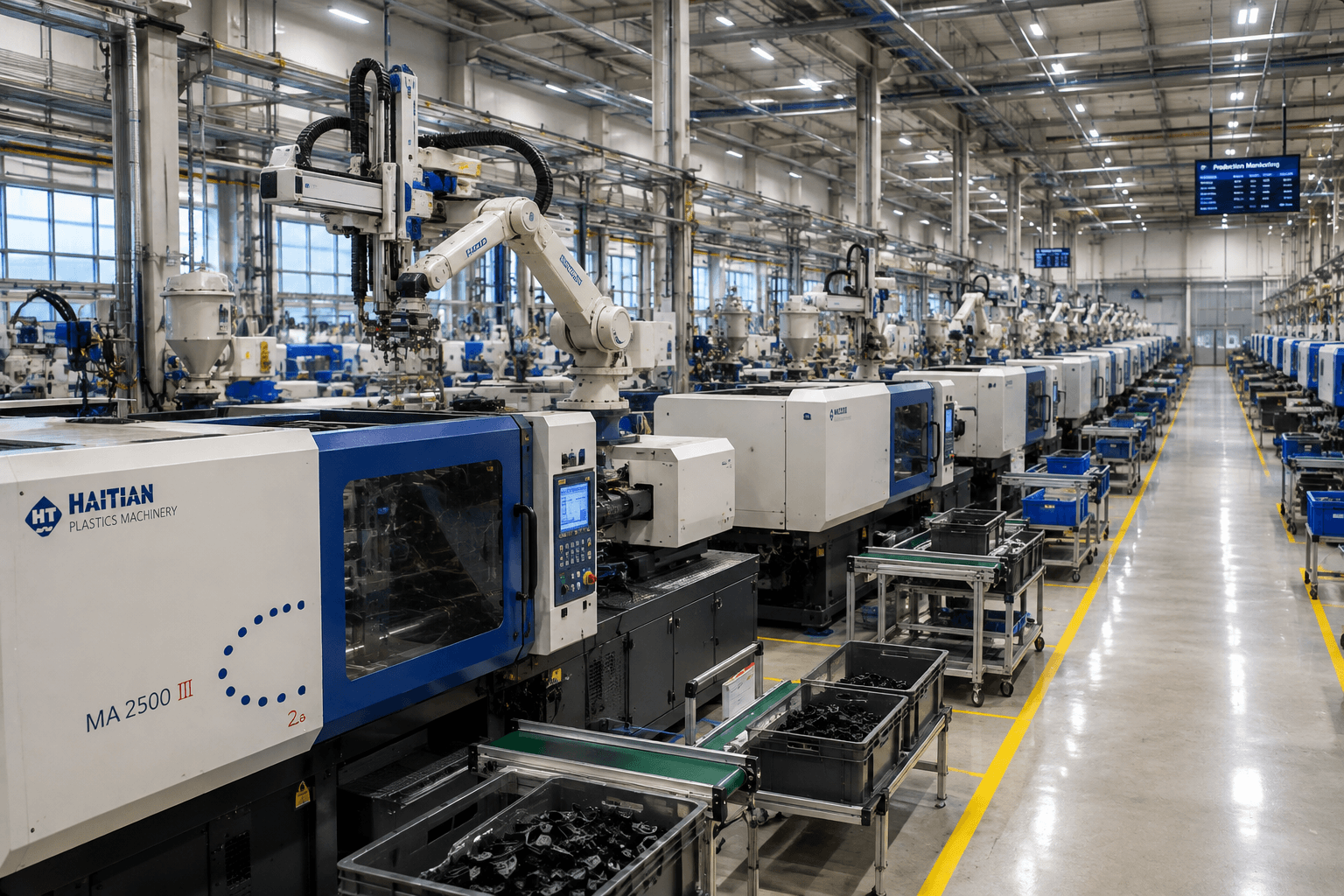
Plastic Components, Inc. was founded in 1989 and later expanded to more than 75,000 square feet of automated manufacturing space. The company standardized on SOLIDWORKS 3D CAD in 2006.
In 2016, the company looked to strengthen its mold-filling simulation capability with a specific goal: reducing the number of mold iterations, or “round trips,” required for each project.
After benchmarking leading mold-filling simulation tools against a part with a known manufacturing issue, the company selected SOLIDWORKS Plastics Premium. The company cited accuracy, ease of use, and native integration with its existing SOLIDWORKS models as important factors in the decision.
The reported results included reducing weeks from the back end of mold and tooling development, minimizing mold iterations, and improving the accuracy of mold-filling predictions.
The software’s post-filling, cycle optimization, cooling analysis, and warp prediction capabilities also helped the team simulate more complex mold scenarios, accelerate customer time-to-market, and reduce internal launch costs.
Plastic Components also used the simulation capability as a sales tool. In one example, the team analyzed a prospective customer’s problematic gating scheme and used the simulation to demonstrate how a revised approach could address the issue. That analysis helped the company win the business.
This example highlights an important point about simulation: it does not only help reduce manufacturing risk. It can also give engineering teams a practical way to demonstrate their expertise to customers.
What’s New in the 2026 Release
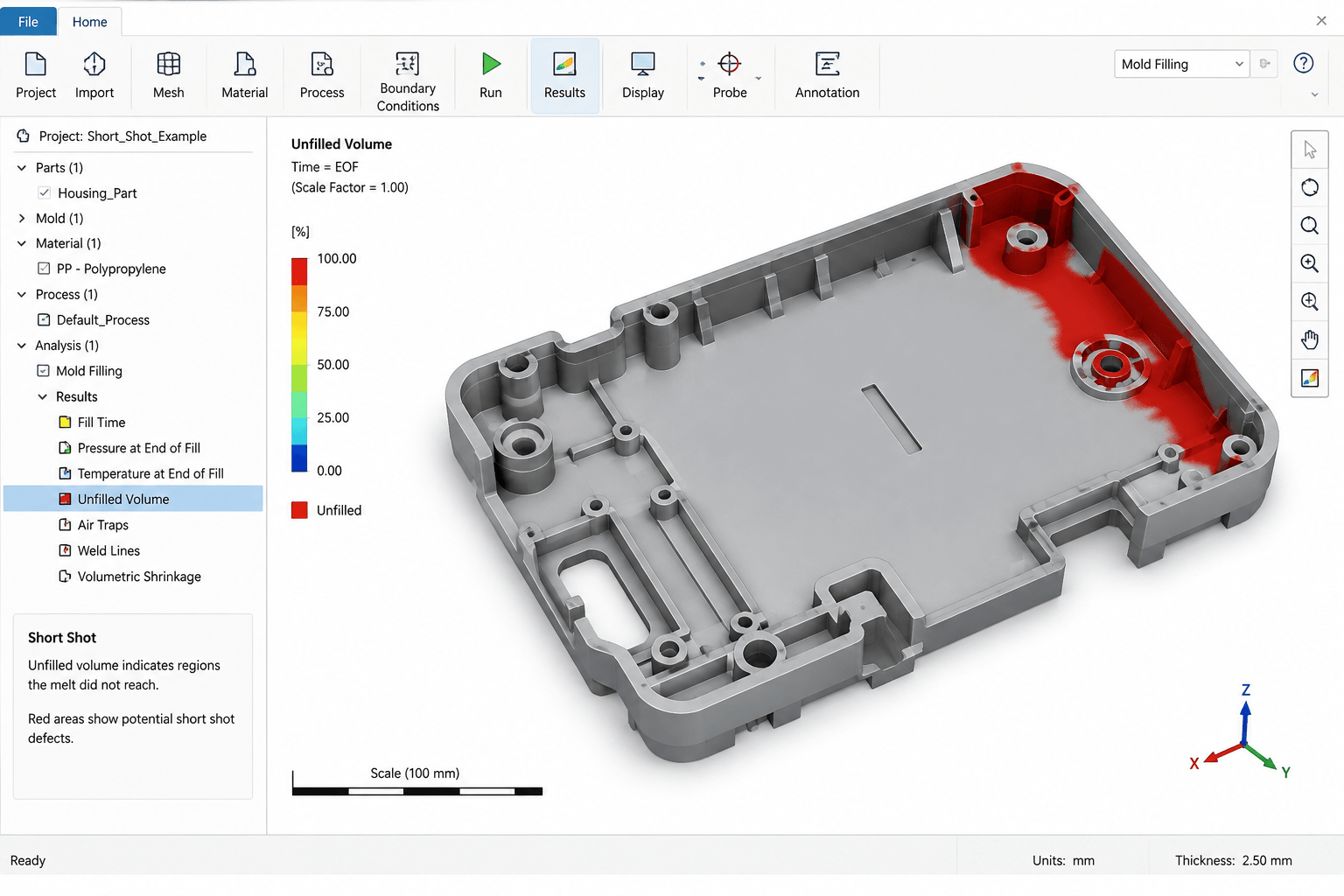
Recent SOLIDWORKS Plastics updates focus on making defect detection faster and the simulation more representative of real molding conditions.
SOLIDWORKS Plastics 2026 introduced an Unfilled Volume plot that automatically appears as the first result when a short shot occurs. This makes the problem area easier to identify without requiring users to interpret flow data manually.
Air-vent definition was expanded from vertices to full edges, including split lines and parting lines. This better reflects how air can escape from an actual mold.
The release also added support for thermoset materials such as epoxies, phenolics, and silicones. These materials cure chemically rather than simply cooling, making the capability useful for applications such as silicone-molded joysticks and grips.
According to the source material, solver improvements delivered up to 30 percent faster solve times across fill, pack, and warp simulations, while the material database was expanded by 85 new grades.
For engineering teams, these updates are aimed at making simulation results easier to interpret while expanding the types of molding applications that can be evaluated.
Common Questions About SOLIDWORKS Plastics
Do I need the Premium tier, or is Standard enough for basic parts?
If you mainly need to check whether a part will fill correctly, Standard may be sufficient. Premium becomes more valuable when cooling efficiency and warpage are significant concerns, particularly for cosmetic parts, tight-tolerance components, or complex multi-cavity tooling.
Does SOLIDWORKS Plastics replace the need for a physical mold trial?
Not completely. Physical trials are still part of real-world mold validation, but simulation can reduce the number of trials required by identifying many flow, fill, and warpage issues before the mold reaches the press.
The goal is not necessarily to eliminate physical validation. Instead, the goal is to make that first physical trial more likely to succeed.
Is SOLIDWORKS Plastics only useful for mold makers, or also for part designers who outsource molding?
It can be useful to both.
Part designers can identify wall-thickness and gate-location issues before sending a design out for tooling quotes. Mold shops, meanwhile, can use the deeper tiers to analyze the mold, feed system, cooling strategy, and potential warpage.
For companies that outsource injection molding, identifying these issues before releasing a design for tooling can help avoid unnecessary changes later in the process.
How does SOLIDWORKS Plastics compare to standalone mold-flow software like Moldflow?
A major advantage of SOLIDWORKS Plastics is its native integration with the SOLIDWORKS environment. Engineers can analyze their existing CAD model without exporting geometry to a separate application.
Dedicated standalone tools may provide deeper analysis for highly complex or unusual molding processes. However, for many standard injection-molding applications, the ability to integrate simulation directly into the CAD workflow can make design changes and iterations faster and more convenient.
Final Thoughts
Injection molding becomes much more expensive once tooling has been cut. A design change that takes a few hours to investigate in simulation can become a tooling modification that costs thousands of dollars and adds weeks to a project schedule.
That is the core value of SOLIDWORKS Plastics: analyze the part while it is still a digital model, identify potential fill, cooling, and warpage problems early, and make changes before they become shop-floor problems.
The Plastic Components, Inc. example shows that the benefit can extend beyond individual tooling projects. Fewer iterations can contribute to faster time-to-market, lower internal launch costs, and even stronger customer relationships when simulation is used to demonstrate a better manufacturing approach.
For injection molding teams, the question is not simply whether a part can be modeled successfully in CAD. The bigger question is whether the design will actually behave as expected when molten plastic enters the mold.
By bringing injection molding simulation into the design process, engineers can address that question before steel is cut.
Considering SOLIDWORKS Plastics for your injection molding workflow? Talk to our SOLIDWORKS Plastics specialists to find the right tier for your parts.