The Question Every SOLIDWORKS User Is Asking Right Now
You’re in a position to renew your SOLIDWORKS license or maybe you’re trying it for the first time and you’ve reached a crossroads: SOLIDWORKS Desktop or SOLIDWORKS Connected (the cloud-based version of SOLIDWORKS on the 3DEXPERIENCE platform)?
The two are based on the same core CAD engine. Both open the same .SLDPRT files. However, the licensing, collaboration features, update schedule, offline functionality, and durability are all different and the wrong one could cause disruption for months for your team.
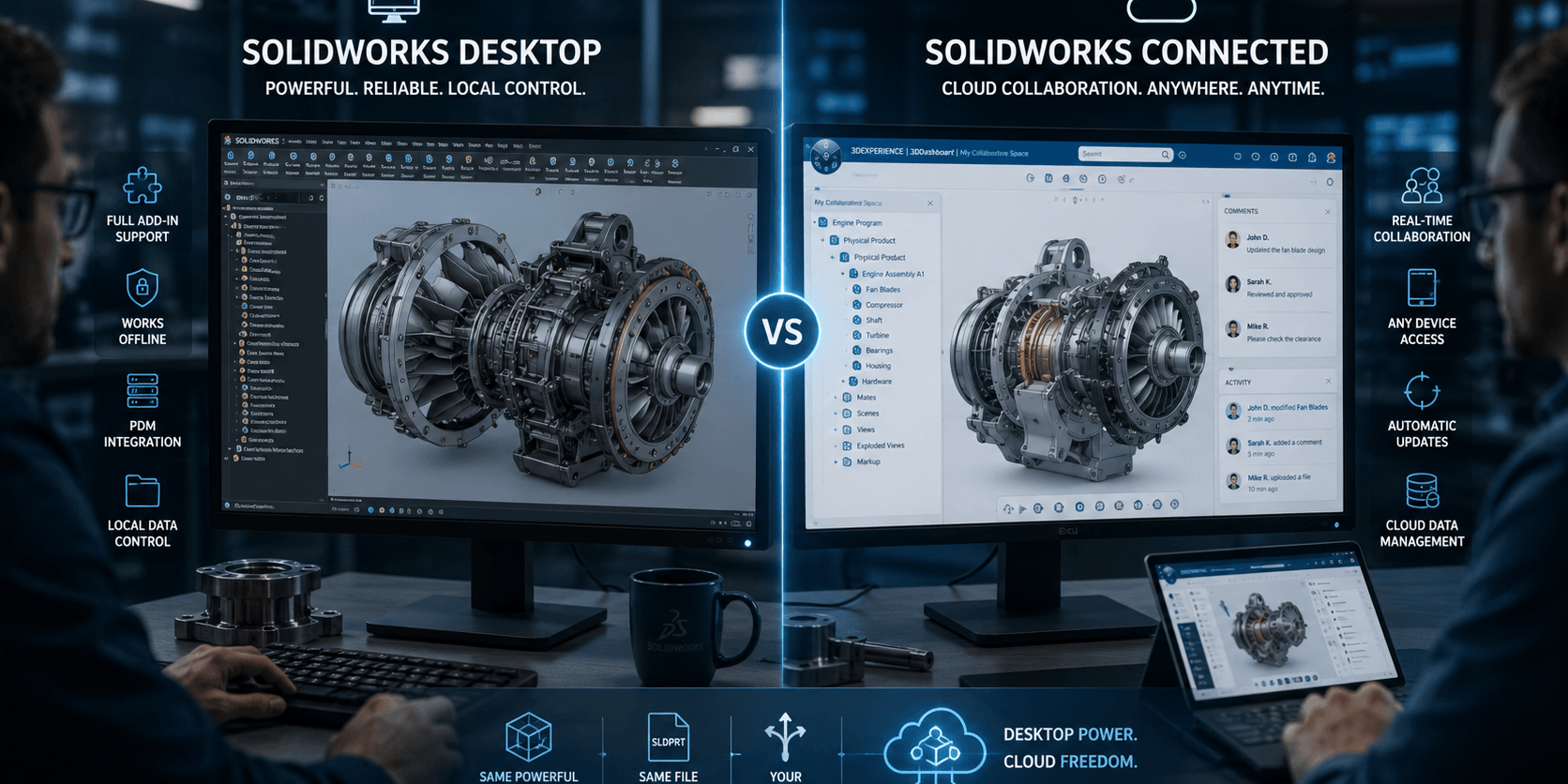
SOLIDWORKS Desktop is ideal for a team of engineers who require the highest level of add-in support, offline-first design activities and complete control over when they update. If your team values real-time collaboration, cloud data management, and the ability to access the files from several machines, SOLIDWORKS Connected (3DEXPERIENCE) may be the best option.
In 2026, there is no objectively ‘best’ choice, as it depends on team size, connectivity and workflow.
Every difference that matters is explained, there are real pricing ranges, a side-by-side feature table, and a decision matrix to help you make a confident choice.
What is SOLIDWORKS Desktop?
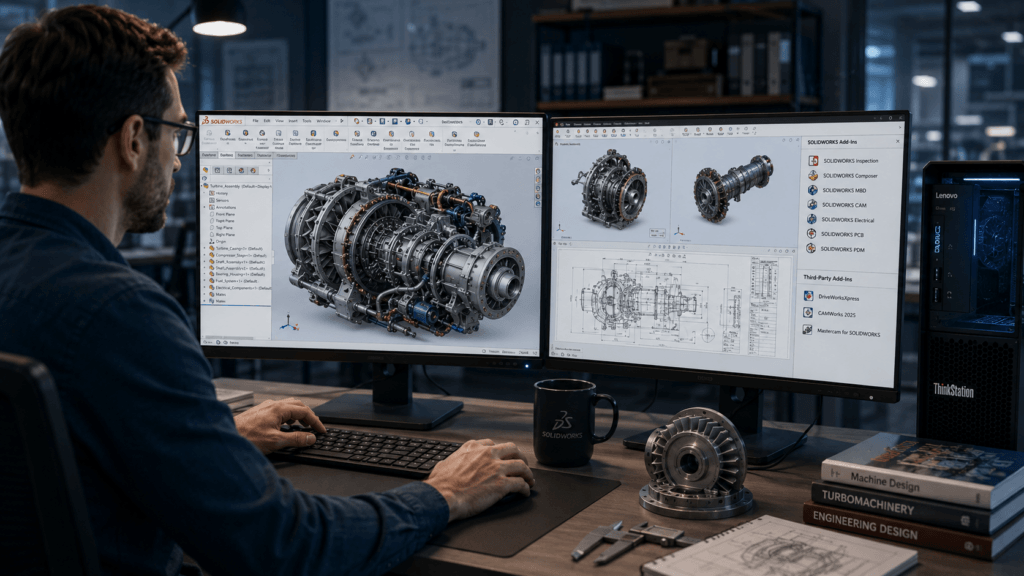
SOLIDWORKS Desktop is the traditional version of the software that has been used by engineers for more than 30 years and is installed locally.
It is installed on a Windows machine, then activated with a license key (stand alone or network/SNL). It is completely run on the machine’s hardware.
Explore the new features of SOLIDWORKS 2026 Desktop
In Fall 2025, SOLIDWORKS 2026 will be released with some major enhancements for the Desktop version:
AI-Generated Drawings
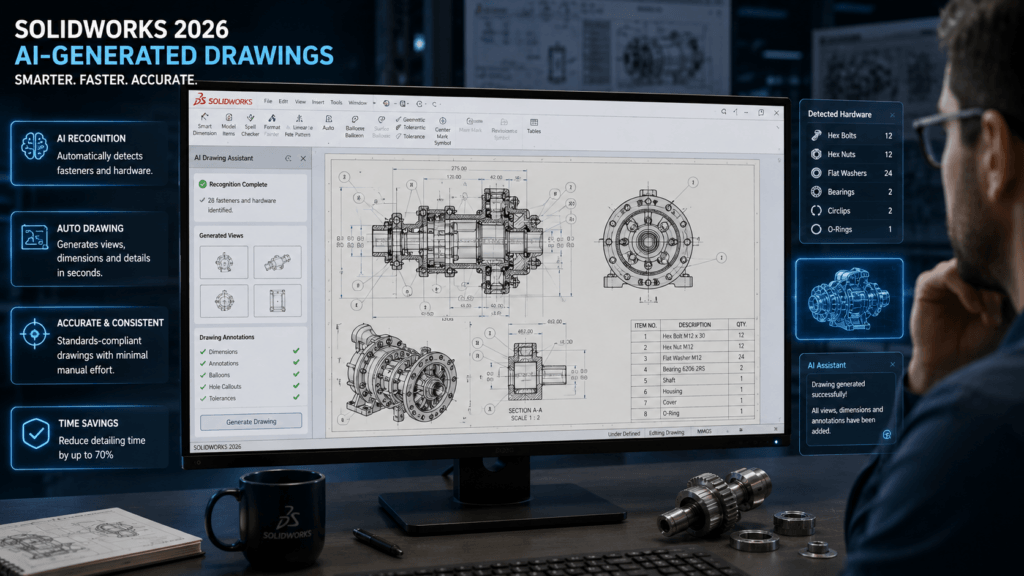
Auto recognition of fasteners: bolts, nuts, washers etc., and AI aided auto generation of drawing views, dimensions and details drastically reducing manual detailing time.
Selective Loading for Large Assemblies
If you have a large assembly, load only the components you need and minimize your RAM usage and the time of opening the assembly.
Multi-Version Compatibility
Open more recent versions of files with reduced amount of compat warnings.
Simplified Cloud Collaboration
Now even Desktop users can access SOLIDWORKS Cloud Services (post July 2023), the cloud storage and limited revision management feature on the 3DEXPERIENCE platform.
Who is the desktop user?
- Manufacturing Engineers where PDM is already in use (SOLIDWORKS PDM Professional)
- Teams which are using lots of SOLIDWORKS add-ons (Inspection, Composer, MBD, CAM integrations)
- Companies with strict IT security policies that call for all programs to be installed locally
- Users with poor connectivity to the Internet
What is SOLIDWORKS Connected (3DEXPERIENCE SOLIDWORKS)?
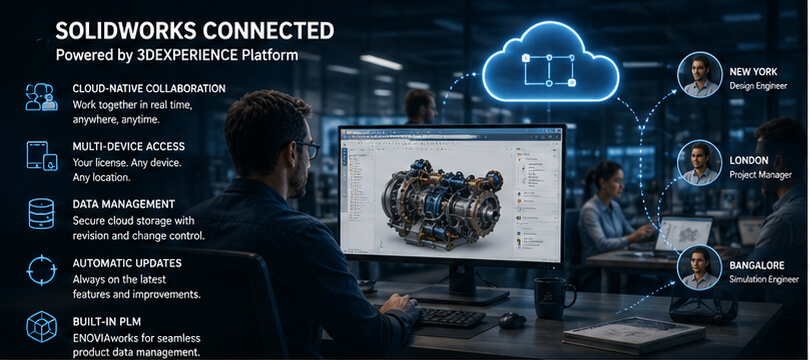
3DEXPERIENCE SOLIDWORKS is not a new application, but rather a new way to access SOLIDWORKS.
It is the same SOLIDWORKS CAD engine but installed and managed from Dassault Systèmes’ 3DEXPERIENCE platform instead of using a standalone installer.
It employs the Named User Licensing system that binds your 3DS Passport login to the license, so that you can use it on all your machines.
Imagine SOLIDWORKS on the cloud as opposed to locally.
What is the 3DEXPERIENCE Platform really?
The 3DEXPERIENCE platform is more than just cloud storage.
If you are a subscriber, adds:
- Proficiently manage revision and change by using our cloud-based PDM/PLM solution, ENOVIAwoks
- 3D Creator / 3D Sculptor roles Browser based Sub-divisional modeling tools
- Multi-Engineering (co-design) in real-time: several engineers at the same time, working on the same assembly
- Synchronized software version With Automatic version sync, all users who are Connected on your team always have the same software version
- Multi-machine access login from workstation, laptop at client or remote desktop
SOLIDWORKS Connected Tiers (2026)
| Tier | CAD Included | Platform Roles | Best For |
|---|---|---|---|
| 3DX SWX Standard | SOLIDWORKS Standard | 3D Creator | Individual designers new to cloud |
| 3DX SWX Professional | SOLIDWORKS Professional | 3D Creator + 3D Sculptor | Small collaborative teams |
| 3DX SWX Premium | SOLIDWORKS Premium | 3D Creator + 3D Sculptor + Simulation | Engineering teams needing simulation |
SOLIDWORKS Online vs Desktop: Feature-by-Feature Comparison
Master Comparison Table
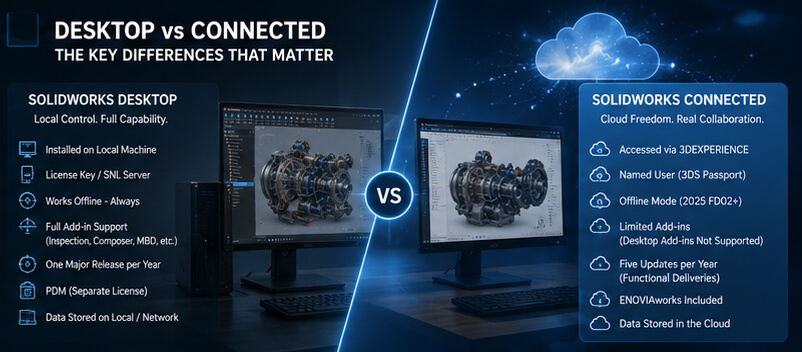
| Feature | SOLIDWORKS Desktop | SOLIDWORKS Connected |
|---|---|---|
| Installation | Local installer (manual) | Via 3DEXPERIENCE platform (faster) |
| License activation | License key / SNL server | Named User (3DS Passport login) |
| Multi-machine access | No (tied to one machine or SNL) | Yes (any machine, any location) |
| Offline use | Full offline by default | Yes with Offline Mode (2025 FD02+) |
| Collaboration | Via PDM / manual file sharing | Real-time, cloud-native |
| PDM/PLM | SOLIDWORKS PDM (separate license) | ENOVIAworks included |
| Update schedule | One major release per year | 5 Functional Deliveries per year |
| Add-in support | Full (Inspection, Composer, MBD, etc.) | Limited (Desktop add-ins NOT supported) |
| Data storage | Local / network drive | 3DEXPERIENCE cloud |
| Version control | Manual / PDM | Automatic (cloud) |
| GPU requirements | Full workstation GPU required | Same hardware requirements |
| CAD features (core) | Identical to Connected | Identical to Desktop |
| AI features (2026) | Yes | Yes |
| Annual cost (approx.) | $2,820–$4,716/yr (subscription) | Varies by tier; similar range |
Interface and User Experience
When viewed in the part file, both versions appear almost indistinguishable.
The main visual change in SOLIDWORKS Connected is the addition of the 3DEXPERIENCE Tab Panel on the left side to provide access to the platform tools such as cloud save, collaboration, role apps.
Users who convert from Desktop to Connected state that it takes them 1-2 weeks to adjust mainly to this panel, and not necessarily to the CAD tools.
The ability to work collaboratively and to co-design in real time
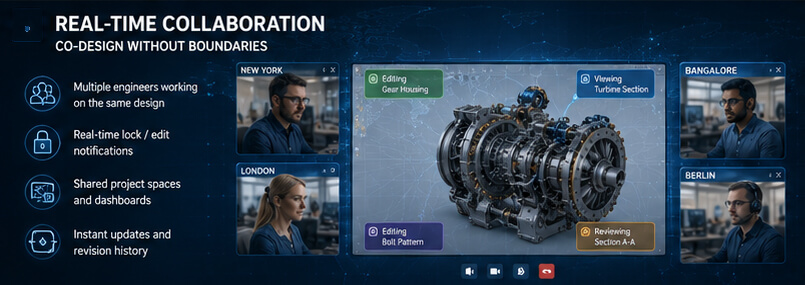
Here, Connected clearly outshines teams.
Desktop uses SOLIDWORKS PDM for version control, a separate server based application which needs to be installed and maintained in the IT environment.
This is automatically done in the cloud by Connected, the real-time lock/edit notifications, shared project spaces and revision history are visible to everyone in the team.
In teams where more than one engineer accesses the same assembly, at any point and anywhere in the world, Connected eliminates the “who has the file checked out?” friction altogether.
Add-Ins and Integrations
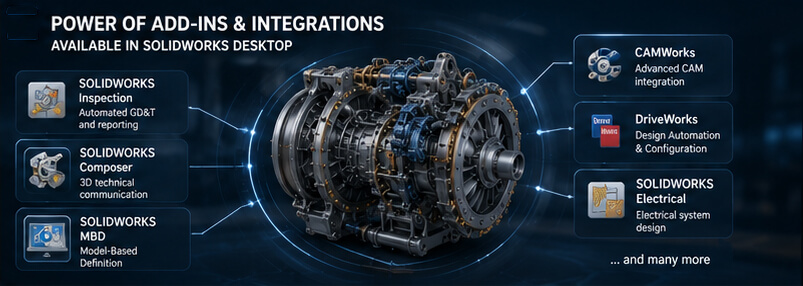
The most obvious benefit of Desktop is this.
SOLIDWORKS Desktop is capable of running the complete portfolio of SOLIDWORKS add-in products:
- SOLIDWORKS Inspection
- SOLIDWORKS Composer
- SOLIDWORKS Model Based Definition (MBD)
- SOLIDWORKS Electrical
- SOLIDWORKS PCB
- Third-party SOLIDWORKS integrations such as SOLIDWORKS DriveWorks, SOLIDWORKS CAMWorks, and SOLIDWORKS Mastercam
These add-ins are NOT supported by SOLIDWORKS Connected.
No workflow or data can be migrated to Connected without the loss of functionality of Inspection for automated GD&T balloon population and/or Composer for production of interactive technical documentation.
Update Cadence
The SOLIDWORKS Desktop will receive one major release annually (with bug fixes known as SOLIDWORKS SP releases).
SOLIDWORKS Connected experiences five Functional Delivery releases every year, or every 10 weeks, that bring new functionality with each one.
This is a key architectural benefit to Connected.
Major improvements such as the enhanced offline mode (FD02 and FD03), Selective Loading enhancements and collaboration improvements were introduced in the annual Desktop version well after being released in the annual FD updates in 2025.
Licensing and Pricing: What is the cost of each version in 2026?
SOLIDWORKS has no public list prices quotes are dependent on the reseller, region, team size, and negotiation. The Techsavvy Engineers solidworks pricing guide explains the available editions, licensing options, and factors.
Perpetual License: Still Available, But Shifting
Perpetual licenses are still offered in 2026 though Dassault Systèmes has been gradually moving new business towards the subscription (term) and Connected models.
Subscription is the trend in this industry and the only exception to this is Desktop perpetual which, if having your software outright is critical to your business model, you’ll probably have to deal with this form of licensing.
Hidden Costs You Must Consider
- Connectivity
- No additional hardware is required for Desktop, but it requires a certified workstation GPU to run.
- Software
- The software is the same for both versions and is free.
- IT Administration
- Desktop SNL licensing uses a license serverConnected does not.
- PDM
- For version control, typically PDM: Desktop will need to be installed and Connected will have ENOVIAworks.
- Training
- Minimal (version are the same for CAD), 1–2 days for orientation on the 3DEXPERIENCE platform.
The Myth versus the Reality of 2025 – Offline Access
One of the biggest challenges with SOLIDWORKS Connected is:
“What if the Internet connection fails?”
This was a valid issue up until 2022.
Is no longer a barrier.
SOLIDWORKS Connected Offline Mode (Updated 2025)
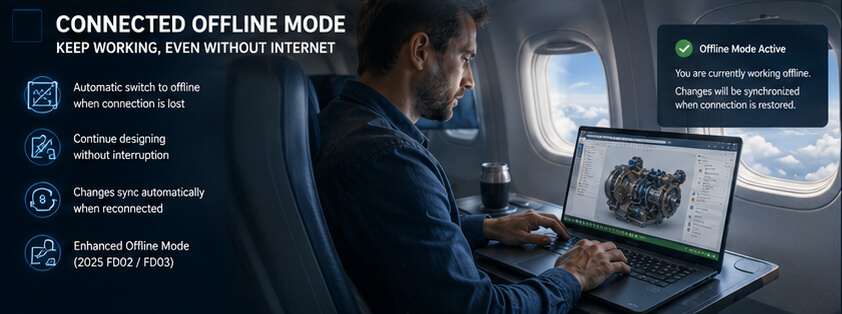
Dassault Systèmes will progressively enhance offline access with FD releases:
2025 FD02
If the app is unable to be connected to the 3DEXPERIENCE platform and SOLIDWORKS Connected is launched in the last 30 days, the app will automatically switch to offline mode and continue to work with the local files.
2025 FD03
If you are connected to the Internet at the beginning of a session and then you lose Internet connectivity part way through a session, the app automatically switches to temporary offline mode, and continues to check for Internet connectivity in the background.
This allows engineers to stay productive, operate on flights, in available client facilities, or when ISPs experience outages without incurring any loss of data.
The Offline Caveat
Offline mode in Connected is for a short time, not weeks out in the field. If you need to use it offline for a long time, like mining and such, naval vessels, classified facilities, etc. then Desktop is the better choice.
Performance Desktop vs Connected on Real Hardware
The main question engineers ask:
“Will it be slower to run through the 3DEXPERIENCE platform?”
The short answer: No both versions run the same local CAD engine.
All computation, simulation and rendering of geometry takes place on local equipment, not in the cloud.
This platform is for managing licenses, data sync and collaboration, but it does not process your CAD operations.System Requirements (2026)
Both SOLIDWORKS Desktop and Connected share the same base hardware requirements:
| Component | Minimum | Recommended |
|---|---|---|
| OS | Windows 10 64-bit | Windows 11 64-bit |
| CPU | Intel/AMD 64-bit, 3.3 GHz+ | Latest-gen workstation CPU |
| RAM | 16 GB | 32–64 GB (large assemblies) |
| GPU | Certified Quadro/RTX or Radeon Pro | NVIDIA RTX / AMD RX 7000 series |
| Storage | 50 GB free (NVMe SSD) | 256 GB+ NVMe SSD |
| Internet | Not required (Desktop) | Required for sync (Connected) |
Note
SOLIDWORKS recommends running the 3DEXPERIENCE Cloud Eligibility Tool before deploying Connected to verify your environment compatibility.
Large Assembly Performance
SOLIDWORKS 2026’s Selective Loading feature available in both Desktop and Connected is the biggest performance upgrade for large assembly users.
You can now load only the components relevant to your current task, dramatically reducing RAM usage and open times for assemblies with thousands of parts.
Which SOLIDWORKS Version Is Right for You in 2026?
Decision Matrix
| Your Situation | Best Choice | Why |
|---|---|---|
| Solo freelancer, budget-conscious | Desktop Term License | Lower entry cost, full add-in support |
| Solo freelancer, multiple machines | Connected Standard | License follows your login |
| Small team (2–5), same office | Desktop + PDM | Full control, proven workflow |
| Small team (2–5), remote/hybrid | Connected Professional | Built-in collaboration, no PDM server |
| Mid-size team, multi-site | Connected Professional/Premium | Real-time co-design across locations |
| Enterprise, existing PDM | Desktop + PDM Pro | Migration cost too high to justify |
| Enterprise, greenfield deployment | Connected Premium | Cloud-native from day one |
| Users needing Inspection/Composer | Desktop only | Add-ins not supported in Connected |
| Engineers in low-connectivity areas | Desktop | True offline without preparation |
| Startups and fast-scaling teams | Connected | Scales users instantly via admin console |
Ideal for: Single Designers and Freelance Designers
Both versions are identical if working alone and are mainly using 3D modeling, assembly and drawings.
It depends on your machine environment:
- Desktop, if you have one workstation to work, is cost-effective
- Connected’s named user login makes life so much easier if you use multiple devices
Best suited for: Small Engineering Teams (2-10 Users)
This range of teams is already using file sharing and will have outgrown it but are not yet ready for PDM infrastructure.
The advantages of SOLIDWORKS Connected are becoming more and more interesting here:
- There is no need for an IT server to run a PDM server
- The team gets cloud-based revision tracking from the start
Ideal for: Mid-Size Companies (MS) with Remote or Hybrid Teams
This is the case that Connected is best known for.
Real-time check-out notifications, project visibility and automatic version sync remove the coordination pain points that stifle productivity and collaboration with Desktop + manual file sharing.
Most suitable for: Enterprise and Multi-Site Organizations
The current infrastructure has a strong influence on enterprise decisions.
For organizations with a more established SOLIDWORKS PDM Professional implementation, the decision to migrate to Connected should be carefully considered.
Workflows may need to be re-established, administrators trained on the new system and potentially may lose any customized features built into SOLIDWORKS PDM Professional.
The centralized administration console and scalability are a welcome benefit for greenfield enterprise deployments.
The following are the situations in which you should NOT switch to Connected
Be honest with yourself about these situations:
- You use SOLIDWORKS Inspection, Composer or MBD these add-ins are not supported in Connected
- Your facility has network restrictions (defensive, classified environments) which do not allow cloud connectivity
- You have a custom PDM/ERP integration, and would need to recreate it from the ground up
- You’re in the middle of a complicated project and are in a licensing situation that will be difficult to change midway through the project
- Time constraint and can’t take in even 2 weeks of platform learning curve
Frequently Asked Questions
Is it possible to install SOLIDWORKS Desktop and Connected on the same computer?
Only on different version years.
SOLIDWORKS Connected 2025 can be installed with SOLIDWORKS Desktop 2024, but the two editions of SOLIDWORKS 2026 cannot be installed on the same machine.
Will SOLIDWORKS be cloud only in the future?
There isn’t any end-of-life date for Desktop announced by Dassault Systèmes.
The strategic investment, however, has to be in 3DEXPERIENCE Connected – which is releasing 5 feature updates year versus 1 for Desktop.
For Connected, new capabilities are being introduced first and foremost in the long-term.
What will happen when I cancel my Connected subscription?
All 3DEXPERIENCE data can be exported to standard SOLIDWORKS file formats (.SLDPRT, .SLDASM, .SLDDRW).
No commitment to proprietary cloud formats.
Are there opportunities to make the transition from Desktop to Connected during the project?
Yes — the file extension is the same.
In real terms, a change of project midway through would involve team retraining, workflow reconfiguring and licensing transition.
The switch is most often done at a project boundary for most organisations.
Does SOLIDWORKS Connected support all SOLIDWORKS add-ins?
No.
The Connected installation does not support SOLIDWORKS Desktop portfolio add-ins (Inspection, Composer, MBD, Electrical).
This is the most essential compatibility mismatch to consider prior to a change.
Which one is better between the two in SOLIDWORKS Simulation?
Both offer Premium level Simulation capability.
If you want to use GPUs for cloud simulation, but don’t want to invest in extra workstation hardware, the cloud-based simulation roles (SIMULIA) of the 3DEXPERIENCE Premium tier is an added benefit for advanced FEA.
Is SOLIDWORKS Connected an online application?
Since 2022, offline mode has been available and was significantly improved in 2025.
Internet is required to login, sync data and collaborate.
As of 2025 FD03, each connectivity drop will automatically be handled in temp-offline-mode.
Is there any flexibility in SOLIDWORKS pricing for 2026?
Yes.
Prices for SOLIDWORKS are all quote dependent.
There’s negotiation room because of volume, multi-year commitments and authorized reseller promotions.
Multiple Dassault Systèmes VAR quotes are highly recommended to compare.
The Bottom Line
When choosing SOLIDWORKS Desktop vs Connected in 2026, it’s not a matter of which SOLIDWORKS version is “best” it’s which one works best for you.
Consider Desktop when:
- You must have all the Add-in support
- You are following PDM workflows
- You are in a limited network
- You are in the middle of the project on a complex program
Use Connected when:
- Your organization is distributed
- You need cloud collaboration without the need to manage PDM infrastructure
- You work from multiple machines
- You are starting a new engineering practice from the ground up
The technology gap between the two has been reduced to a great extent offline mode is possible, core CAD is the same, and the price is not that steep. The difference between them now is in the infrastructure philosophy – local control versus cloud-native flexibility.
🚀 Ready to Experience 3DEXPERIENCE in Action?
See how cloud-powered SOLIDWORKS can transform your design workflow, improve collaboration, and eliminate version chaos — all in one connected platform.
- ✔ Personalized demo based on your workflow
- ✔ Expert guidance on SOLIDWORKS + 3DEXPERIENCE setup
- ✔ Clear pricing & ROI insights for your team
No commitment. Get clarity before you invest.