
Every Engineering Journey Starts Here
You need to design a product. You require 3D models, assembly drawings and some means of giving files to manufacturing. There is no need to have something as complex as a simulation suite, a data management platform, and so on. You require something that can help you to come up with an idea and then put in a detailed design as soon as you can. It is called SOLIDWORKS Standard.
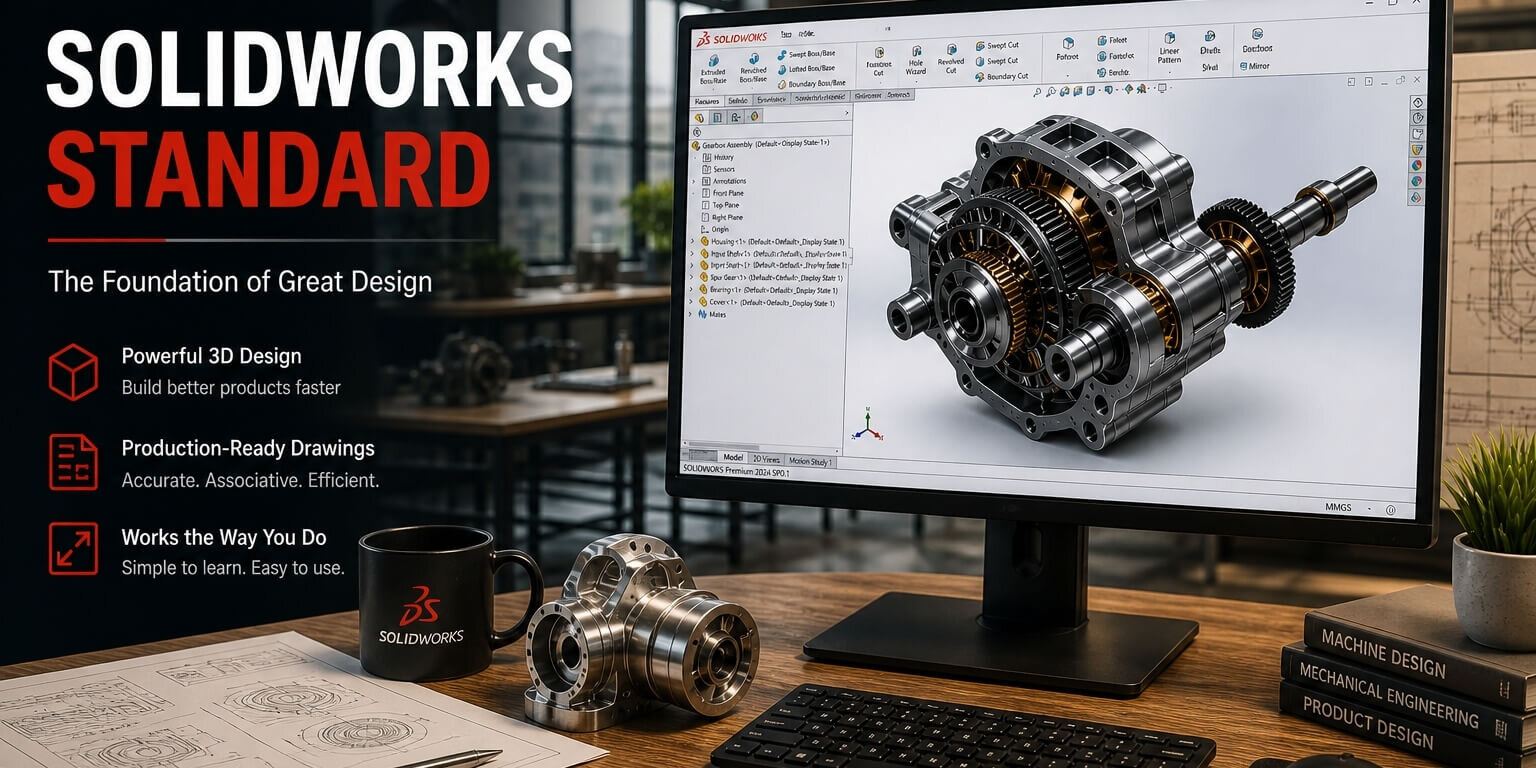
SOLIDWORKS Standard is the entry level version of the most popular 3D CAD platform in the world. It provides full parametric solid modelling, assembly design, 2D drawing creation, import/export of all major CAD formats, and simple rendering all a lone engineer or small team needs to design, detail and document products, all the way to production.
This guide discusses what SOLIDWORKS Standard contains, who it is right to, how it compares to Professional and Premium, the system requirements, and how to license it through TechSavvy.
What Is SOLIDWORKS Standard?
SOLIDWORKS Standard is the basic pack of the SOLIDWORKS product family, which was designed by the Dassault Systemes. It is based on the same, feature-based, solid modelling engine – the same engine that drives Professional and Premium – which means any model created in Standard is fully compatible with the higher tiers.
The parametric approach implies that all dimensions, sketch constraints, and feature relationships are saved as editable history. Any change in hole diameter in step 3 as well as in chamfer in step 12 automatically updates. It is what makes the difference between professional CAD and the simple tools of 3D drawing.
The SOLIDWORKS Standard is implemented in over 165 countries and is the most deployed in the world of the mid-range CAD system. It is the initial professional CAD tool that many engineers learn and use the rest of their careers.
Who Uses SOLIDWORKS Standard?
The right choice is SOLIDWORKS Standard which is suitable to:
- Independent engineers and freelance designers that require a full-fledged CAD tool but not the ability to collaboratively share designs with others add-ons.
- Small startups (1-3 engineers): first-generation products with file management in an informal manner.
- Students and newly graduated individuals in the workforce and developing a professional portfolio of CAD work.
- Non-electronics mechanical engineers where ECAD/MCAD teamwork is not necessary.
- Companies consider SOLIDWORKS prior to investing in Professional or Premium.
- Machining, fabrication or mould design specialists who require accurate 3D geometrical, although not simulation or data management.
Key Features of SOLIDWORKS Standard
| Feature / Module | What It Does | Why It Matters |
| Parametric Solid Modelling | Feature-based 3D modelling with edit history | Enables design changes without rebuilding |
| Assembly Design | Mate-based assembly and motion | Validates fit and function |
| 2D Drawings | Associative drawings | Production-ready documentation |
| Sheet Metal | Bend and flat pattern tools | Fabrication accuracy |
| Weldments | Structural design tools | Efficient frame creation |
| Import/Export | Multiple CAD formats | Interoperability |
| Rendering | Basic visualization | Better presentation |
| SimulationXpress | Basic stress analysis | Quick validation |
Feature Deep Dives
1. Parametric Solid Modelling – The Heart Engine
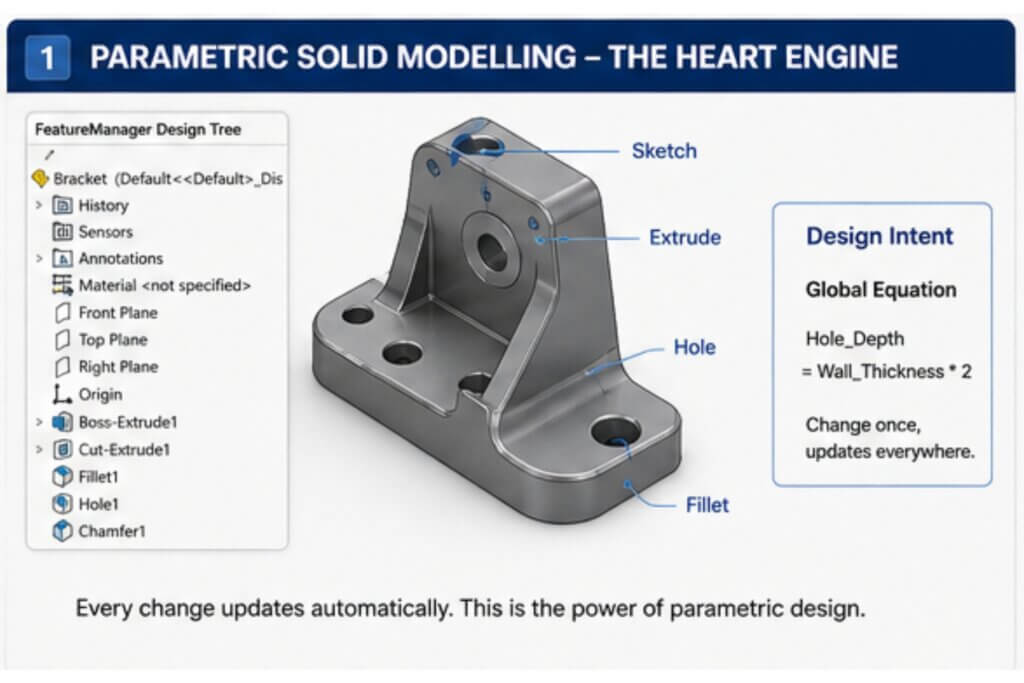
It is because the parametric modeller is that the SOLIDWORKS Standard has been the leading mid-range CAD system over the last 3 decades. All features are recorded in a Feature Manager Design Tree – a chronological, ordered record of all the operations made on the model.
This is incredibly important in the actual development of the product where design is continually altered.
Important modelling tools are:
- Boss-Extrude, Cut-Extrude, Revolve, Loft, Sweep
- Fillet, Chamfer, Shell, Draft
- Patterns (linear, circular, curve-driven, sketch-driven)
- Mirror
- Multi-body modelling
Engineering insight: One of the least utilized features of SOLIDWORKS Standard is the ability to right-click any dimension and add a global equation (i.e. the equation of Holes depth = Wall thickness 2).
2. Assembly Design and Motion Studies
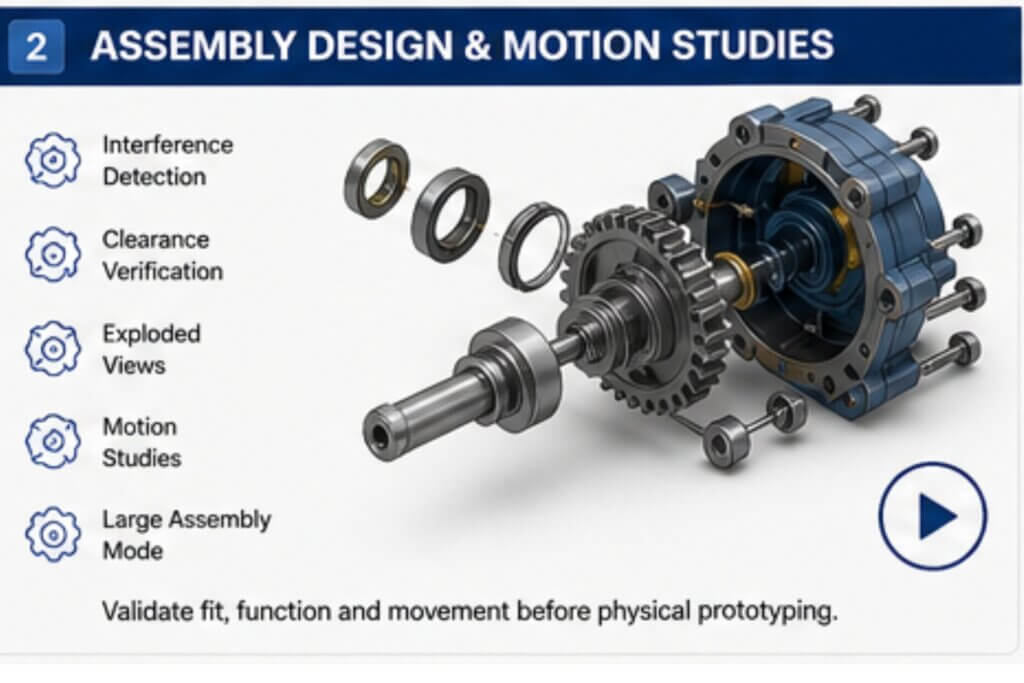
The assembly environment of SOLIDWORKS Standard can be used with any small sub-assembly to large systems.
Key capabilities:
- Interference Detection
- Clearance Verification
- Exploded Views
- Motion Studies
- Large Assembly Mode
3. 2D Drawings -Model to Production Document
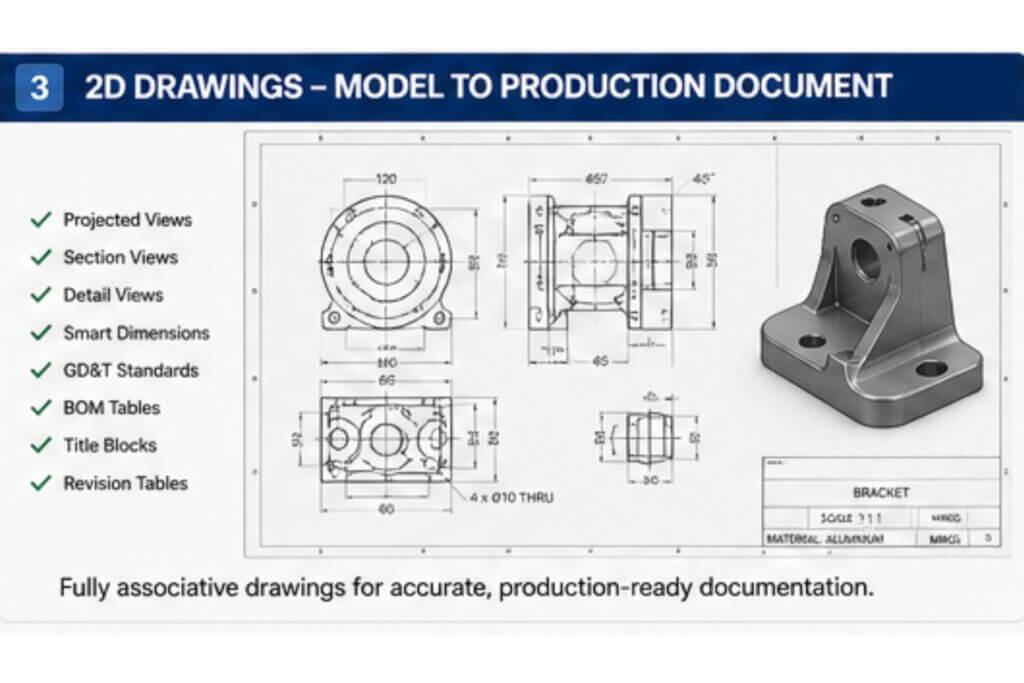
SOLIDWORKS drawings are completely associative with the 3D model.
Capabilities include:
- Section, detail, projected and auxiliary views.
- Smart dimensions
- GD&T standards
- Bill of Materials (BOM).
- Title blocks and revision tables.
4. Sheet Metal and Weldments
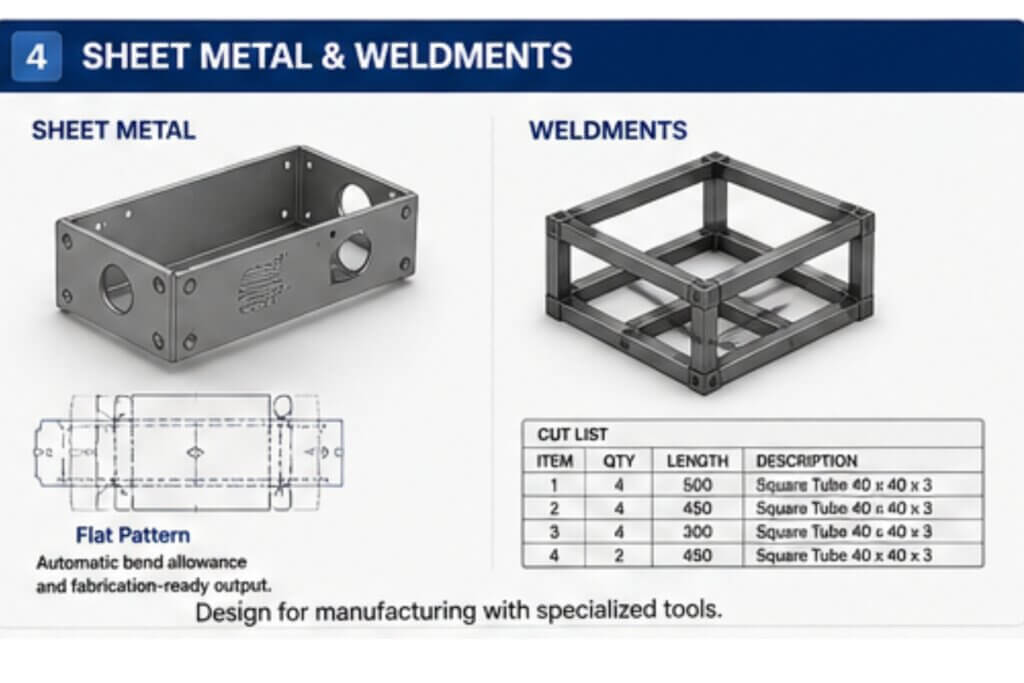
SOLIDWORKS Standard contains special tools of fabrication processes.
- Automatic bend allowance and flat patterns.
- Export of DXF to be cut.
- Weldment structural libraries
- Automatic cut lists
SOLIDWORKS Standard vs Professional vs Premium
| Feature | Standard | Professional | Premium |
| Parametric Modelling | Yes | Yes | Yes |
| Assembly Design | Yes | Yes | Yes |
| 2D Drawings | Yes | Yes | Yes |
| Sheet Metal | Yes | Yes | Yes |
| PDM Standard | No | Yes | Yes |
| Visualize | No | Yes | Yes |
| Simulation | No | No | Yes |
| Routing | No | No | Yes |
Decision rule: Choose Standard if you are a solo engineer or small team. Upgrade when collaboration, rendering, or simulation becomes critical.
When to Upgrade
- Version chaos on shared drives
- Need for photorealistic rendering
- Cost estimation requirements
- Electronics integration (PCB design)
SOLIDWORKS Standard Pricing and Licensing
| License Type | Description | Best For |
| Term License | Annual subscription | Startups |
| Perpetual License | One-time purchase | Long-term users |
| Network License | Floating access | Teams |
| Cloud (3DEXPERIENCE) | Browser-based | Remote teams |
Frequently Asked Questions
Yea– professional work in engineering is commonly done on it.
Professional adds PDM, rendering, cost tools, and ECAD integration.
Yes, simple simulation with SimulationXpress.
Windows 10/11
Intel i7 or Xeon
16–32 GB RAM
Certified GPU
SSD recommended
Yes, upgrades are non-disruptive.
Yes, via authorized resellers
Bottom Line: SOLIDWORKS Standard: Is it Right?
The appropriate beginning point of most engineers joining professional 3D CAD work is SOLIDWORKS Standard.
It is not ideal if:
- Your team has more than 3-5 engineers.
- You require a rendering or collaboration tools.
It is ideal if:
- You desire an effective CAD tool that is not complicated.
- You are developing products, concept to manufacture.
Who is to begin Above Standard?
- Professional – Teams of 5+ engineers.
- Simulation-heavy workflows → Premium
- Firms having PDM/PLM programmes.
Ready to move up from Standard?
Ready to unlock the full potential of your CAD workflow?
Talk to TechSavvy – your trusted SOLIDWORKS partner for:
- Hardware + software consultation
- Free trial access
- Best pricing options