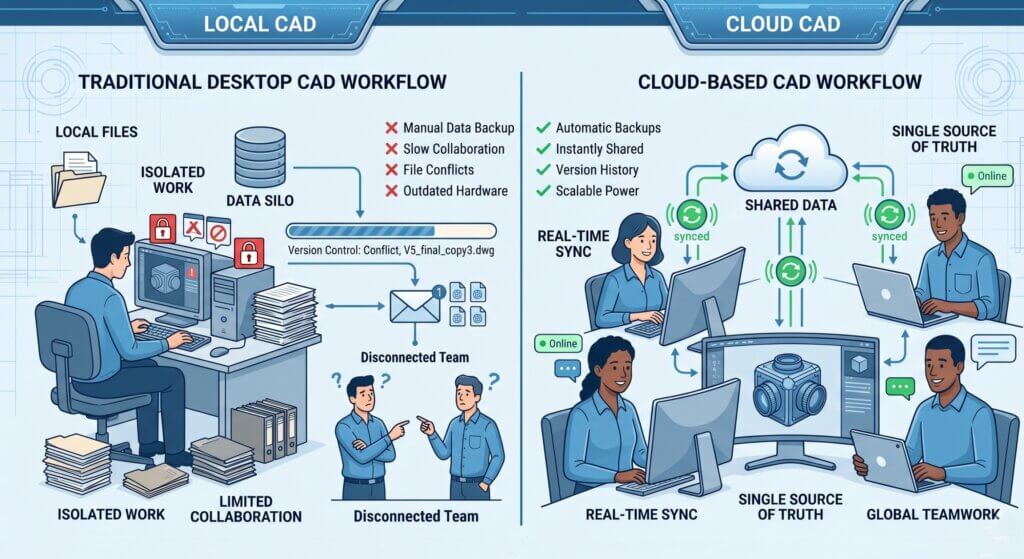
If you’re using SOLIDWORKS Desktop and dealing with version confusion, file management issues, remote access limitations, or collaboration delays across teams you’re not alone. Modern engineering teams are moving toward cloud-connected workflows to eliminate these bottlenecks. That’s where the 3DEXPERIENCE Platform comes in.
What Is 3DEXPERIENCE Platform?
The 3DEXPERIENCE Platform is the interlinked cloud platform developed by Dassault Systèmes, which integrates all the engineering, manufacturing, simulation and business intelligence tools into one, browsable workspace.
Imagine it as an operating system of product development, a system that substitutes a smattering of desktop tools that are too unrelated with a consistent, constantly-connected ecosystem.
The platform is fundamentally a cloud-based data management system (replacing conventional PDM systems like SOLIDWORKS PDM), collaborative channels in real-time, and an expanding library of discipline-specific roles – modular applications to particular disciplines (structural analysis, system architecture, manufacturing planning, etc.).
We’re not just putting SOLIDWORKS in the cloud. We are reinventing the cross-time zone, cross-disciplinary, and cross-supply chain collaboration of engineering teams.
— Dassault Systèmes, 3DEXPERIENCE World 2024
Within the context of SOLIDWORKS users, the platform is presented by the 3DEXPERIENCE Works portfolio, a collection of roles that comprise cloud-native CAD, simulation, data management, and even team collaboration tools and are charged on a subscription basis.
Pricing & Cost Perspective (What Most Buyers Want to Know)
Before diving deeper, it’s important to understand how this shifts financially:
- Traditional SOLIDWORKS → CapEx (one-time license + AMC)
- 3DEXPERIENCE → OpEx (subscription-based model)
What this means in practice:
- Lower upfront investment
- Predictable yearly cost
- Continuous updates + cloud services included
For most growing teams, the decision is less about cost and more about:
“Is the productivity gain worth the subscription?”
SOLIDWORKS Connected: Connected CAD to Cloud
The most prominent one of the portfolio is SOLIDWORKS Connected (previously under the name 3DEXPERIENCE SOLIDWORKS).
It is the same parametric modeling engine that engineers have relied on since its inception, the same sketching tools, same feature tree, same SOLIDWORKS DNA only now built in natively connected with the cloud platform.
What Does “Connected” Mean?
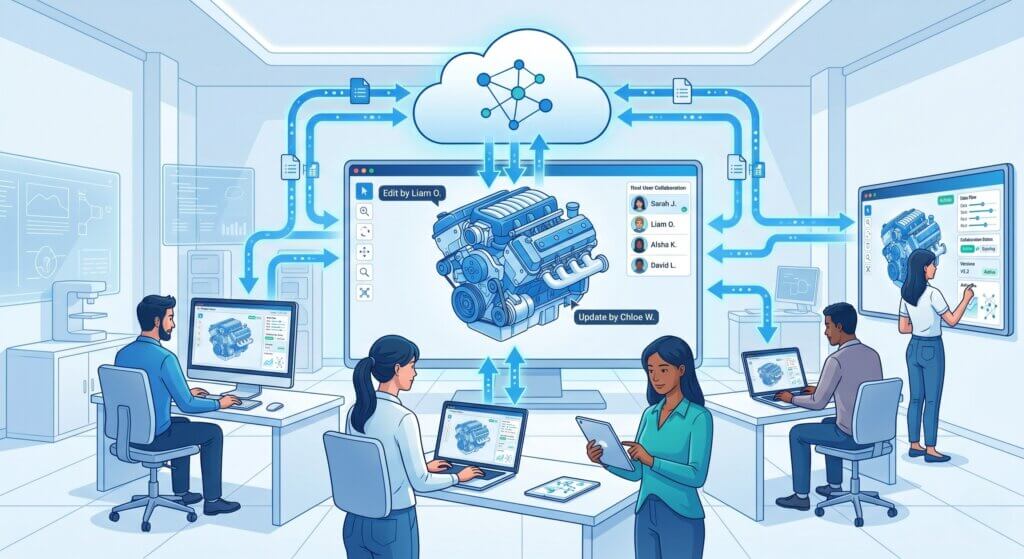
- The files are not on a shared drive, but on the cloud.
- All saves are automatic versions. No Final v3 ACTUALLYFINAL.sldprt confusion any more.
- Real-time collaboration.
- A model can be looked at and marked up by multiple engineers in their browsers, the lead designer in the desktop modeler.
- Instant access anywhere.
- Launch your project on any computer with SOLIDWORKS Connected installed – no floating license, no VPN acrobatics.
- Integrated change management.
- The flow of ECOs, BOMs and revision approvals are inherent within the same platform that the geometry resides in.
- Offline mode.
- Offline work; updates when you come back online.
Who Should Use 3DEXPERIENCE Platform?
This is where most decisions are made.
Ideal for:
- Growing engineering teams → need structured collaboration
- Startups → no IT infrastructure for PDM
- Distributed teams → working across locations
- Manufacturing companies → need BOM + lifecycle integration
Not ideal for:
- Very small teams (1–2 users with simple workflows)
- Fully offline environments with strict data isolation
- Companies heavily invested in legacy PDM with no collaboration issues
The Key Benefits of Solidworks 3DEXPERIENCE for Engineering Teams
The 3DEXPERIENCE Works business case of moving is much more than it is in the cloud. The following capabilities are the most effective with contemporary product development teams:
Automatic Versioning & History
- Every save creates a time-stamped version
- Instant rollback to any previous state
- No manual backups required
Multi-Discipline Collaboration
- Unified data backbone across teams
- Mechanical, electrical & software integration
- No email attachments or file duplication
Cloud Simulation (SIMULIA)
- Run FEA & CFD simulations on cloud
- No local GPU or hardware dependency
- Access results directly in browser
BOM – Single Source of Truth
- Consistent BOM across engineering & production
- Shared data for sourcing & costing
- Eliminates version conflicts
Enterprise-Grade Security
- ISO 27001 certified infrastructure
- Role-based access control
- Full audit trail of model interactions
Browser-Based Review
- View 3D models without software install
- No license required for stakeholders
- Threaded discussions on geometry
Best Starting Point: Collaborative Designer Role
The lowest-friction entry point is the Collaborative Designer role, in case you have a new team to 3DEXPERIence.
It is a cloud data management and collaboration add-on to your current SOLIDWORKS desktop software, but does not force you to upgrade to the Connected modeler on the day-one upgrade.
Comparison of Features Between Desktop SOLIDWORKS and 3DEXPERIENCE
| Capability | SOLIDWORKS Desktop | 3DEXPERIENCE Works |
|---|---|---|
| Parametric CAD Modeling | ✔ Full | ✔ Full (same engine) |
| Cloud Data Storage | ✖ Local only | ✔ Native |
| Real-Time Collaboration | ✖ Not available | ✔ Built-in |
| Automatic Versioning | ~ PDM add-on required | ✔ Automatic |
| Browser-Based 3D Review | ✖ Not available | ✔ Any browser |
| Cloud Simulation | ✖ Local only | ✔ On-demand compute |
| Mobile Access | ✖ Not supported | ✔ iOS & Android viewer |
| Offline Mode | ✔ Always | ✔ Sync on reconnect |
| License Model | Perpetual or subscription | Subscription only |
How It Compares to Other Cloud CAD Platforms
Compared to tools like Autodesk Fusion 360 or Siemens NX ecosystems, 3DEXPERIENCE stands out for:
- Deep integration with SOLIDWORKS users
- Enterprise-grade lifecycle management
- Scalable role-based architecture
Migration to 3DEXPERIENCE Works: Where to Begin
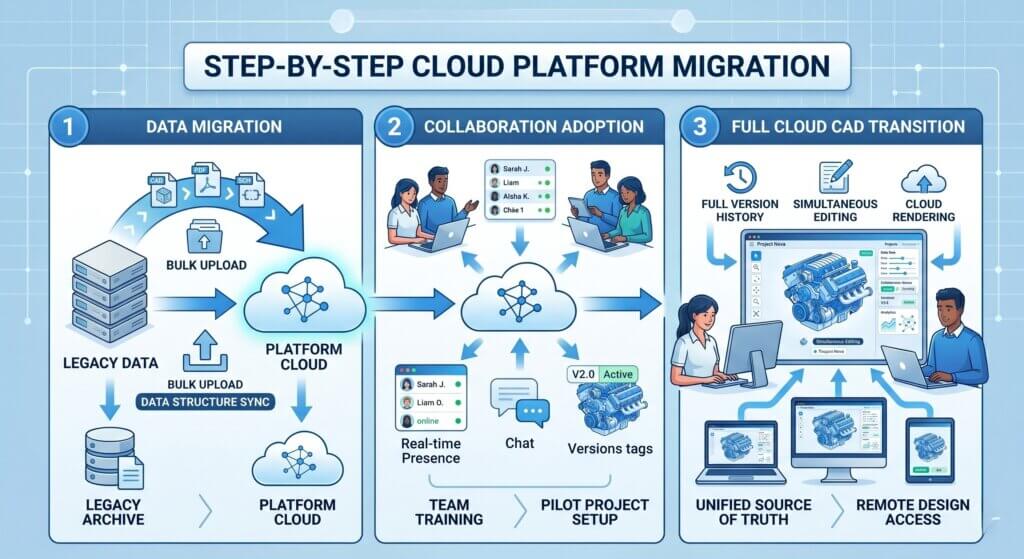
The journey between classical SOLIDWORKS and the 3DEXperience ecosystem does not need to be a tear-out and buy-in venture. Dassault Systèmes has developed a gradual adoption program that allows teams to move their own speed.
Phase 1 – Link Your Current Data
The initial step will be to transfer your file library to the 3DEXperience cloud storage. Migration tool (included in the platform) could be used to import existing SOLIDWORKs files and PDM vaults, maintaining references and folder structure. Introduce to a pilot group of 510 to roll out completely.
Phase 2 – Adopt Dotting Workflows
The minute data is hosted on the cloud, teams are then able to begin utilizing collaborative review, change management and browser-based markup without having to touch the modeler. This step provides quick ROI and familiarity on the platform before anyone alters his or her design.
Phase 3 – Transition to SOLIDWORKs Connected
The last phase is to switch the daily modeling work to SOLIDWORKS Connected. The learning curve is low since the modeling environment saves the appearance of desktop SOLIDWORKS. Majority of engineers claim that they are productive after the first week.
Frequently Asked Questions (3DEXPERIENCE Platform)
What is the 3DEXPERIENCE Platform?
Is SOLIDWORKS Connected different from SOLIDWORKS Desktop?
Do I need to switch completely to 3DEXPERIENCE?
Does 3DEXPERIENCE require internet at all times?
Is 3DEXPERIENCE secure for enterprise use?
🚀 Ready to Experience 3DEXPERIENCE in Action?
See how cloud-powered SOLIDWORKS can transform your design workflow, improve collaboration, and eliminate version chaos — all in one connected platform.
- ✔ Personalized demo based on your workflow
- ✔ Expert guidance on SOLIDWORKS + 3DEXPERIENCE setup
- ✔ Clear pricing & ROI insights for your team
No commitment. Get clarity before you invest.