
Is There Really a Free Version of SOLIDWORKS?
The short answer is yes, you can download a fully functional free trial of SOLIDWORKS without a credit card, and be up and running in less than five minutes. But the devil is in the details, and few articles go there.
Thousands of engineers stumble on their search for a SOLIDWORKS free trial download. They visit an ambiguous landing page, fill out a form and wait for a response, or they download the wrong trial.
With this guide, You’ll find out which trial you should choose, how to quickly install it and what to expect when it comes time to assess it for use by your team or in your project.
Quick Answer
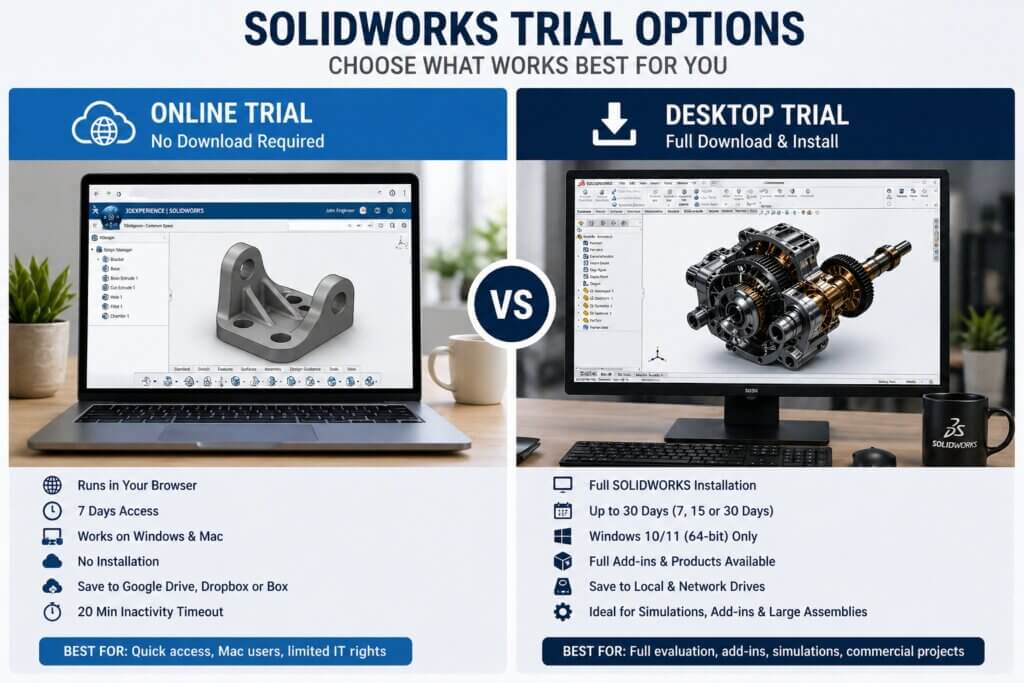
The SOLIDWORKS free trial comes in two versions: a 7-day online trial (no download) and a 30-day desktop trial (full install)
- Online trial: Runs in your browser, zero installation, 7 days
- Desktop trial: Full download and install, up to 30 days, Windows only
- Who qualifies: Commercial users evaluating for purchase; students have separate routes
Understanding Your SOLIDWORKS Trial Options
Before downloading, you only need to make one decision because if you get it wrong you will be wasting valuable time.
Option 1 The Online Trial (No Download Required)
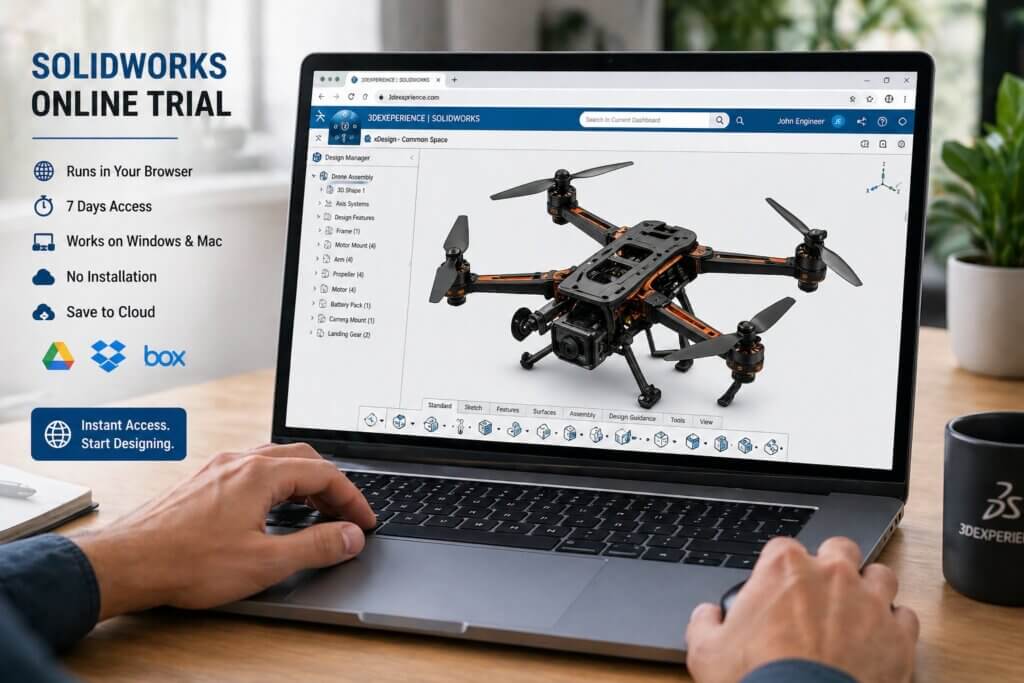
SOLIDWORKS runs in your browser on the MySolidWorks portal. There’s no download, activation code or compatibility check. Open Chrome or Edge, sign in and in two minutes you’re running SOLIDWORKS Premium.
- Time: 7 days from first use
- Installation: None HTML5 browser only
- Plays on: Windows and Mac (any operating system with a browser)
- Internet speed: Minimum 3 Mbps down / 300 Kbps up; 5 Mbps for 1080p
- File storage: Google Drive, Dropbox or Box (not local)
- Timeout: 20 minutes of inactivity will end the session
For: Mac engineers, users with limited IT rights, or before you want to install it.
Option 2 The Desktop Trial (Full Downloadable Install)
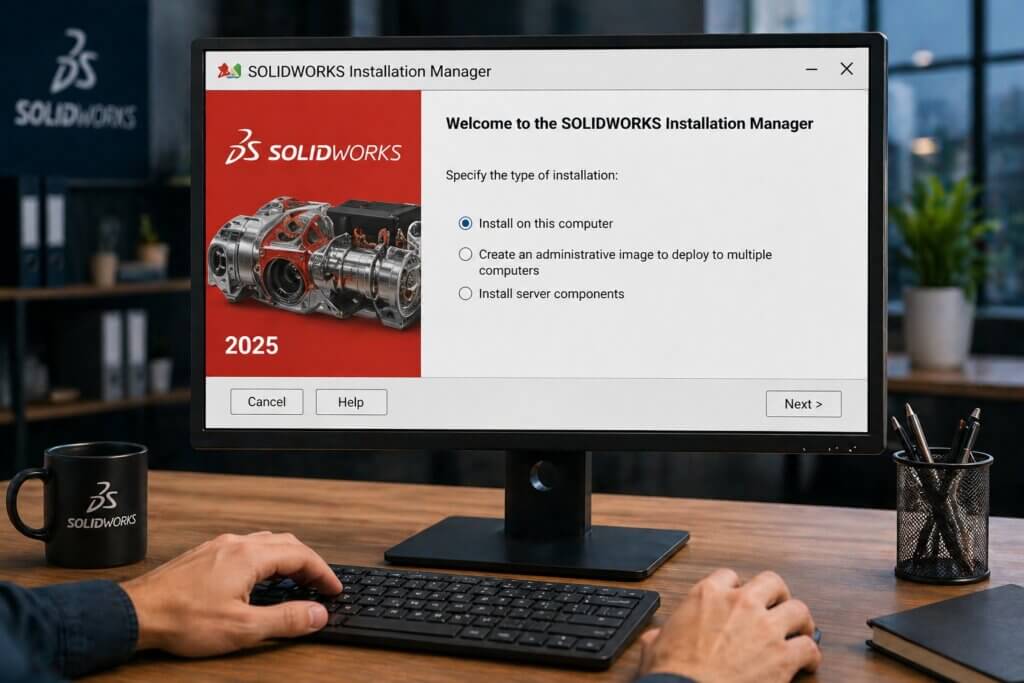
This is the most common request. You will receive a serial number from an approved reseller, then download the SOLIDWORKS Installation Manager and install the desktop client software on your PC. It’s just like a paid license.
- Valid for: 7, 15 or 30 days, depending on the reseller
- Installation: Full client installation with SOLIDWORKS Installation Manager
- OS support: Windows 10 or 11 (64-bit) only, no macOS
- Add-ins: Full add-in test by reseller request
- File saving: Local and network drives
- Products: SOLIDWORKS Premium; other products (Simulation, CAM) available by request to resellers
Good for: Engineers wanting to wait until the last minute to build a new workstation; evaluate the compatibility of add-ons (SolidCAM, DriveWorks, SOLIDWORKS Electrical); or do simulations for commercial projects.
How to Download SOLIDWORKS Free Trial in 3 Steps
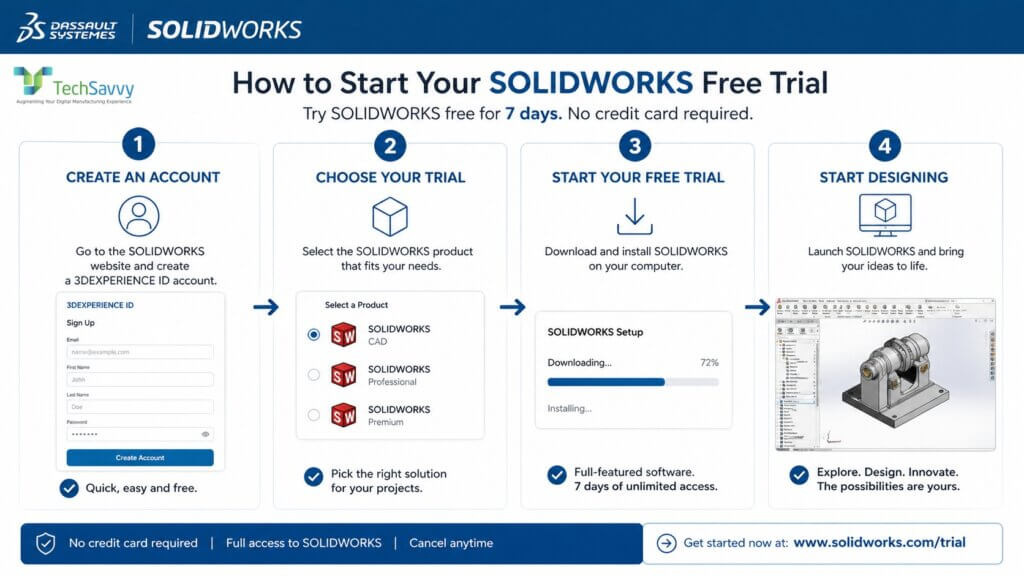
Path A: Online Trial (Start in 2 Minutes)
- Visit www.solidworks.com, select “Try SOLIDWORKS Free” in the top menu.
- Create a MySolidWorks account (free) with your corporate email address, or login if you already have an account.
- On the trial screen, select “Online Hosted Trial” no need to fill in a reseller’s form.
- Click “Start Trial” your browser will launch a SOLIDWORKS session that includes part and assembly files.
- Be sure to save your part and assembly files to Google Drive, Dropbox or Box before the trial expires.
Pro tip: For best streaming experience use Chrome or Edge browser Firefox is fine, but may be slower to render large assemblies.
Path B: Desktop Trial (Full Install)
- Register for a desktop trial with an SOLIDWORKS reseller Tech Savvy Engineers.
- You will receive confirmation from a reseller within 24 hours of your request of whether you are eligible and will be given a trial serial number.
- Obtain the SOLIDWORKS Installation Manager from the reseller trial portal or my.solidworks.com.
- Run the Installation Manager. Click “Install on this computer” and enter your serial number.
- Complete the installation wizard. Select the products you would like to install – at least SOLIDWORKS CAD.
- Click on SOLIDWORKS on your desktop. Your trial period starts on first launch not on download.
Important: Do not start the trial period until you are ready to evaluate. The timer starts once SOLIDWORKS has been launched with the serial number.
SOLIDWORKS Free Trial System Requirements
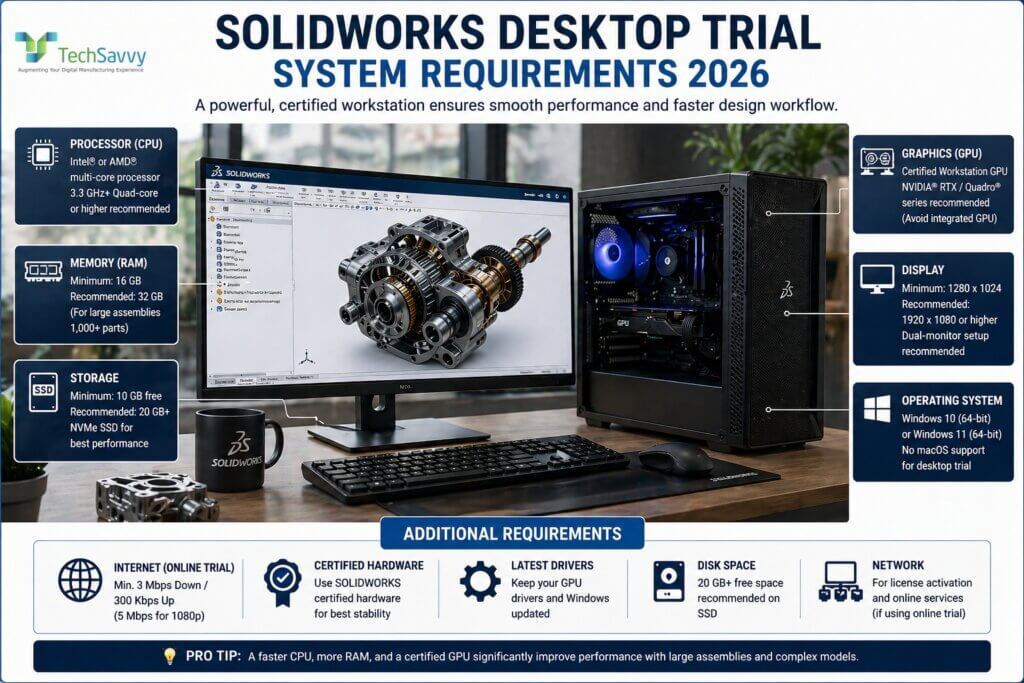
The online trial has virtually no hardware requirements if your browser runs YouTube in HD, it will run the online trial. The desktop trial is a different story.
Here are the official minimum and recommended specs for the SOLIDWORKS desktop client in 2026:
SOLIDWORKS Free Trial System Requirements
| Component | Minimum | Recommended | Notes |
|---|---|---|---|
| Operating System | Windows 10 (64-bit) | Windows 11 (64-bit) | No macOS support for desktop |
| Processor (CPU) | Intel/AMD multi-core | 3.3 GHz+ quad-core | Higher clock speed beats more cores for CAD |
| RAM | 16 GB | 32 GB | 32 GB needed for large assemblies (1,000+ parts) |
| Graphics (GPU) | Certified workstation GPU | NVIDIA Quadro / RTX series | Integrated Intel/AMD GPU causes RealView issues |
| Disk Space | 10 GB free | 20 GB+ on SSD | NVMe SSD dramatically improves load times |
| Display | 1280 x 1024 | 1920 x 1080 or higher | Dual-monitor setup recommended for complex work |
| Internet (online trial) | 3 Mbps / 300 Kbps up | 5 Mbps / 500 Kbps up | Required only for browser-based trial |
Table 1: SOLIDWORKS 2025 system requirements desktop trial
Frequently Asked Questions
Q1. Do I need a credit card to start the SOLIDWORKS free trial?
No. Neither the online trial nor the desktop trial requires a credit card or any payment information. The online trial activates immediately after account creation. The desktop trial is initiated through a reseller who will request your contact information, but no billing details.
Q2. How long does the SOLIDWORKS free trial last?
The online trial runs for 7 days from the date of first activation. The desktop trial can last 7, 15, or 30 days depending on the authorized reseller you work with — when you contact a reseller, it’s reasonable to ask for the maximum 30-day evaluation period.
Q3. Can I save my work during the SOLIDWORKS free trial?
Yes. In the online trial, files are saved to connected cloud storage: Google Drive, Dropbox, or Box. You must connect your cloud account within the trial session — work is not saved automatically. In the desktop trial, you can save files anywhere on your local machine or network drives, exactly as you would with a paid license.
Which Trial is Right for You?
It’s all about what you want to know.
- “Will SOLIDWORKS do what I want to do?” You’ll get a full tour of the user interface, open up some sample assemblies and run a fast simulation to see whether it will work for you.
- “What will SOLIDWORKS run on my computer?” Use your parts, assemblies and add-ins. That’s the only test that’s relevant for commercial purchase.
- “I’m a student or hobbyist” → Check your school’s access to the Education Program first. If you’re part of a makerspace, get the free SOLIDWORKS for Makers annual license.
SOLIDWORKS is costly in terms of money and training. The trial is there to eliminate the financial barrier to that risk. Use it like the real McCoy, on actual project data and you’ll know at the end of the trial period.
To get started: Go to my.solidworks.com → click ‘Try SOLIDWORKS’ → Online (expiring) or Request Desktop. You’re 5 minutes from being inside the software.